TL;DR
- URL canonicalization tells Google which version of duplicate or near-duplicate pages to index and rank. It’s a signal, not a command.
- Add it with
<link rel="canonical" href="...">in the<head>, or via an HTTP header for non-HTML files like PDFs. - Self-referencing canonical tags a page pointing to itself are worth adding even when there’s no duplicate. Google’s own Search Advocate recommends it.
- This isn’t a “duplicate content penalty” fix. Google doesn’t penalize you for this. It just splits your ranking signals across URLs instead of consolidating them.
- The most common failure isn’t a missing tag. It’s a canonical tag pointing at a 404, buried in a redirect chain, or injected by JavaScript that Googlebot never sees in the raw HTML.
What Is URL Canonicalization?
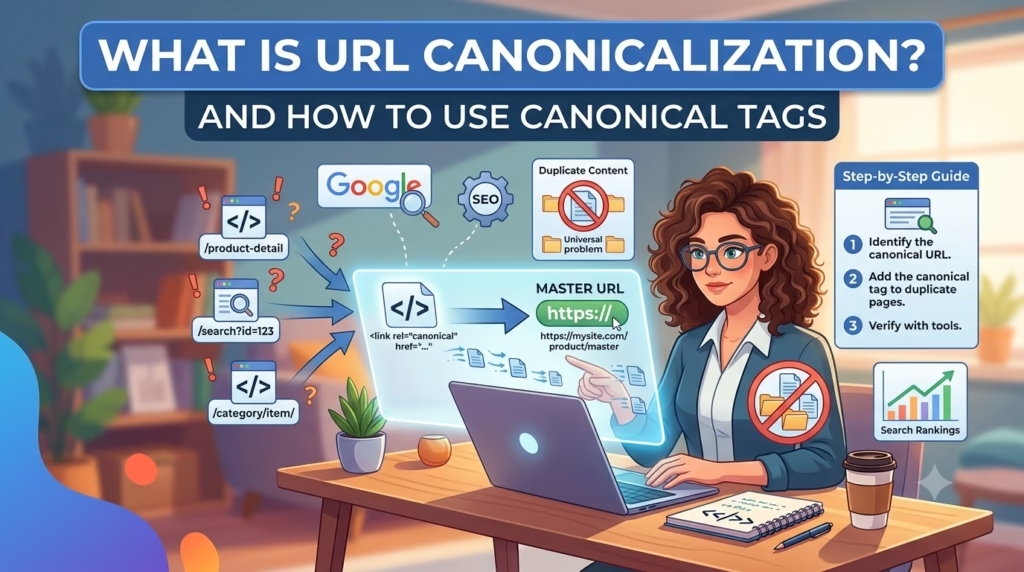
URL canonicalization is how you tell Google which single URL should represent a set of duplicate or near-duplicate pages, using the rel="canonical" tag.
Say your site shows the same product page three ways: /shoes, /shoes?color=red, and /shoes/. To a person, that’s one product. To Googlebot, that’s three separate URLs until you say otherwise. Canonicalization is you stepping in and saying “index this one.”
Google’s own documentation calls the process “deduplication,” picking the most complete, most useful version from a set of duplicates and marking it canonical. The canonical page gets crawled more. The others get crawled less, which frees up crawl budget for pages that actually need it.
Here’s the correction most guides on this topic skip: this is not a penalty situation. You’ll see older SEO content warn about “duplicate content penalties.” Google has said directly that duplicate content isn’t treated as spam or punished with a ranking penalty. What actually happens is dilution — your backlinks, your relevance signals, and your ranking potential get split across three URLs instead of concentrated in one. That’s a real cost. It’s just not the cost most people think it is.
Why Canonical Tags Matter for SEO
Three things happen when you don’t canonicalize properly:
- Google picks for you. In the absence of a canonical tag, Google uses its own signals HTTP vs. HTTPS, redirects, sitemap inclusion to guess which version you want indexed. It might guess wrong.
- Your links split. If other sites link to
/shoesand/shoes/interchangeably, neither version gets full credit for those links. A canonical tag consolidates that signal onto one URL. - Crawl budget gets wasted. Every duplicate URL Googlebot crawls is a URL it’s not spending on your new content. Small sites feel this more than large ones — you don’t have crawl budget to burn on
?sort=pricevariations.
How to Add a Canonical Tag (Step-by-Step)
The tag itself is simple. Where you add it depends on your platform.
WordPress with Yoast or Rank Math
Both plugins auto-generate a self-referencing canonical tag on every post and page by default. You don’t need to touch code for the standard case.
To set a custom canonical (for example, pointing an old post at a newer, updated one):
- Open the post in the WordPress editor.
- Scroll to the Yoast or Rank Math SEO panel below the content box.
- Click the “Advanced” tab.
- Find the “Canonical URL” field and paste the full target URL, including
https://. - Update the post.
Check your work: view page source (Ctrl+U or Cmd+Option+U) and search for rel="canonical". Confirm it points where you expect.
Shopify
Shopify sets canonical tags automatically on product and collection pages to handle its own URL variants (like collection-filtered product URLs). For custom pages or blog posts where you need a manual override:
- Go to Online Store > Themes > Edit Code.
- Open
theme.liquid. - Find the
<head>section. - Add or edit:
<link rel="canonical" href="{{ canonical_url }}">using Shopify’s Liquid variable, or hardcode a specific URL if you’re consolidating a specific duplicate.
Raw HTML
Add this line inside <head>, before any other link or meta tags that could conflict with it:
<link rel="canonical" href="https://yoursite.com/exact-page-url/" />
Two rules that trip people up: always use the full absolute URL, never a relative path like /page. And never add more than one canonical tag to the same page — Google will likely ignore both if it finds two.
HTTP Header (for PDFs and non-HTML files)
You can’t put a <link> tag inside a PDF. For non-HTML content, set the canonical via the HTTP response header instead:
Link: <https://yoursite.com/white-paper.html>; rel="canonical"
This is a server-side configuration, usually set in .htaccess on Apache or in your CDN/server config. If you’re not comfortable editing server config directly, this is one to hand to a developer rather than guess at.
Self-Referencing Canonical Tags: Why You Need Them Even Without Duplicates
Adding a canonical tag that points a page at itself looks redundant. It isn’t.
John Mueller has said he recommends self-referential canonicals specifically because they remove ambiguity about which URL you want indexed. Without one, Google still has to guess using secondary signals — and on sites with tracking parameters, session variations, or trailing-slash inconsistencies, that guess isn’t always right.
WordPress with Yoast or Rank Math does this automatically. If you’re on a custom build or a platform that doesn’t, add it manually. It costs nothing and removes one variable Google has to figure out on its own.
Canonical Tag vs. Redirect vs. Noindex vs. Hreflang
These four get confused constantly because they all touch “which URL should Google use.” They solve different problems.
| Tool | Use it when | What it tells Google |
|---|---|---|
| Canonical tag | Multiple URLs show the same or near-identical content, and you want visitors to still be able to reach all versions | “Index this one, but don’t remove the others” |
| 301 redirect | A URL has permanently moved and the old one should never be shown again | “Forget the old URL, send everyone and everything to the new one” |
| Noindex | A page exists and works fine, but shouldn’t appear in search at all (thank-you pages, internal search results) | “Don’t index this page, but you can still crawl it” |
| Hreflang | The same content exists in different languages or for different regions | “These pages are equivalent versions for different audiences, not duplicates to consolidate” |
The mistake worth flagging: using a canonical tag when you actually need a redirect. If a page is genuinely gone and replaced, a 301 passes link equity cleanly and stops Google from crawling a URL you don’t want it visiting again. A canonical tag on a permanently retired page just leaves a dead end in your crawl path.
Common Canonicalization Mistakes
- Canonical pointing to a 404 or dead page. Happens after page deletions or restructures when nobody goes back and checks old canonical tags. Google flags this specifically in Search Console as a canonicalization error.
- Multiple canonical tags on one page. Usually caused by a theme and a plugin both trying to set one. Google will likely ignore both rather than pick one.
- Canonical pointing to a redirected URL. Forces Google to hop through an extra redirect just to find the real target. Wastes crawl budget and muddies the signal.
- Mixed URL formats across internal links. Linking to
yoursite.com/pagein one place andwww.yoursite.com/page/in another sends conflicting signals about which format you actually prefer. - Ignoring query parameters. Tracking codes, sort filters, and session IDs all generate new URLs that need to canonicalize back to the clean version —
yoursite.com/shoes?utm_source=emailshould point toyoursite.com/shoes, not exist as its own indexable URL. - JavaScript-injected canonical tags. This is the one most glossary-style guides skip entirely. If your canonical tag gets added to the page via client-side JavaScript rather than being present in the raw server-rendered HTML, Googlebot may index the page before that script runs. On React, Vue, or Next.js sites without server-side rendering, this means the canonical tag Google sees in its initial crawl might not be the one you set. Confirm your canonical tag is in the HTML that comes back from the server before JavaScript touches the page — view source, not inspect element, is the way to check this. Inspect element shows you the rendered DOM after JavaScript runs; view source shows you what Google’s first pass actually sees.
Pagination and Canonicalization in 2026
If you’re running a paginated archive or blog listing, don’t canonicalize every page back to page one. That was a common recommendation for years, but it tells Google to ignore all the unique content on pages 2, 3, and beyond.
Google deprecated support for rel="next" and rel="prev" pagination markup back in 2019. Current guidance is simpler: use a self-referencing canonical tag on each page in the series. Page 2 canonicalizes to page 2, not page 1. If your site or plugin is still adding rel="next"/"prev" tags expecting them to do something, they’re not doing anything, they’re just extra code Google ignores.
FAQ
Is canonicalization the same as a redirect?
No. A canonical tag lets both URLs stay live and tells Google which one to index. A redirect sends visitors and search engines to a new URL, and the old one stops resolving. Use a redirect when the old page should disappear entirely; use canonicalization when you want both versions accessible.
Does Google always follow my canonical tag?
No. Google treats it as a strong hint, not an instruction. If your canonical tag points to a page that’s too different from the one it’s on, loads inconsistently, or conflicts with stronger signals (like which version has more backlinks or appears in your sitemap), Google can choose a different canonical than the one you specified.
Can I canonicalize to a page on a different domain?
Yes. This is common in content syndication if you let another site republish your article, you can have that page’s canonical point back to your original, telling Google where the content first appeared. Cross-domain canonicals work the same way as same-domain ones; the tag just carries a different domain in the href.
Do I need a canonical tag if I only have one version of a page?
Not strictly, but adding a self-referencing one is worth the two minutes. It removes any ambiguity Google would otherwise have to resolve using secondary signals.
Does WordPress add canonical tags automatically?
Yes, if you’re running Yoast SEO or Rank Math. Both generate a self-referencing canonical tag on every post and page without configuration. If you’ve deactivated both plugins or you’re on a custom theme with no SEO plugin, check your page source directly; you may have no canonical tag at all.

Mansoor Bhanpurawala is the founder of DigitalMansoor.com. With 20K+ followers on LinkedIn, he has been doing SEO since 2012 and, with over 14 years of experience, has helped 600+ clients across multiple industries build sustainable online growth.
With consulting, he enjoys sharing beginner-friendly guides to help others start and scale their blogs and brands. He’s grown client traffic up to 50X and revenue up to 240X. Helped multiple clients get mentions on TOI, Forbes, Mint, etc.


Leave a Comment