
You’ve built your WordPress site. You’ve written great content. However, your pages are still not ranking.
Here’s what many SEOs miss: not all on page elements carry the same weight.
Some factors matter way more than others. And if you get the heavy hitters right, you can jump ahead of competitors who are focusing on the wrong things.
Which on page element carries the most weight for SEO? That’s the question we’re answering today.
This guide breaks down exactly which on page elements matter most, how to optimize them, and why your WordPress setup needs to focus on these specific areas first. You’ll learn what Google cares about most and how to give it what it wants.
I’ve spent years helping SEOs and WordPress users fix ranking problems. Most of the time, the issue comes down to getting one or two critical elements wrong. This guide shows you what those elements are and how to nail them.
The Truth About On Page Elements And SEO Weight
Not every on page element holds the same power.
Think of your page like a restaurant. The food quality matters most. The napkins? Nice, but secondary.
Google works the same way. Some on page elements are the main course. Others are the side dish.
The search engines use over 200 ranking factors. But research from industry leaders shows that on page optimization still drives real results. Your job is to focus on the ones that actually count.
Here’s what we know: content quality, title tags, and keyword placement still have a significant impact. But many SEOs waste time optimizing things that barely register.
This guide helps you stop wasting time and start ranking.
Your Title Tag: The Heavyweight Champion Of On Page SEO

Why Title Tags Carry The Most Weight
If we had to pick one on page element that carries the most weight for SEO, many experts point here first.
Your title tag appears in search results. It tells Google what your page is about. And it’s one of the first signals Google uses to understand your content.
Studies show title tags influence click-through rates more than almost anything else. A great title tag can boost traffic by 20% to 40% without changing your ranking at all.
But here’s the real power: title tags help Google categorize your page. When you use your main keyword in your title, you’re giving Google a clear signal about what this page targets.
How To Optimize Your Title Tag
Your title tag should be between 50 to 60 characters. Google cuts off titles longer than that in search results.
Put your main keyword near the beginning. Not at the start, but within the first 10 words. This helps both humans and search engines.
Use a power word. Words like “Best,” “Quick,” “Proven,” or “Easy” grab attention. People click these titles more often.
Add a number if it fits. Titles with numbers (like “7 Ways” or “5 Steps”) receive 36% more clicks.
Here’s a good example:
Weak: “WordPress Plugins for SEO”
Strong: “Best 7 WordPress SEO Plugins That Actually Boost Rankings”
The second version has the keyword early. It has a power word (“Best”). It has a number. And it promises a benefit (“Boost Rankings”).
Real Impact On Rankings
Which on page element carries the most weight for SEO? Your title tag matters more than you think.
When your title accurately matches search intent, Google rewards you with better rankings. Users click more. Google sees the clicks. Google moves you up.
It’s a positive feedback loop.
Your Main Heading Tag (H1): The Second Pillar
What Your H1 Does For SEO?
Your H1 is like the headline in a newspaper. It should tell readers and search engines what the page is really about.
Many SEOs confuse H1 tags with title tags. They’re different.
Your title tag appears in search results. Your H1 appears on the actual page, at the top, as a big headline.
Google uses H1 tags to understand your content structure. If your H1 matches your title tag and your content, you send a clear, strong signal.
How To Use H1 Tags Right?
Use only one H1 per page. This keeps things focused.
Include your main keyword in your H1. But make it readable. Don’t force it.
Your H1 should match your page’s main topic closely. If your page is about “WordPress SEO plugins,” your H1 should reflect that.
Good H1 Examples:
- “Best 7 WordPress SEO Plugins That Actually Boost Rankings”
- “How To Set Up Google Search Console In 5 Minutes”
- “WordPress Speed Optimization: The Complete Guide For Beginners”
Each one tells readers immediately what they’ll learn. Each includes the main topic clearly.
The Connection To Rankings
Your H1 helps Google understand your page better. When your H1, title tag, and content all align around the same topic, you send Google a powerful signal.
This is part of why which on page element carries the most weight for SEO keeps coming back to structure and clarity. Google rewards sites that make sense.
Your Meta Description: The Click Machine
Why Your Meta Description Matters (And Doesn’t)
Here’s something that confuses most SEOs: Google says meta descriptions don’t directly affect rankings.
But they affect clicks. And clicks matter for rankings.
Your meta description is that small text snippet under your title in search results. It’s your sales pitch. It convinces people to click.
The Truth About Meta Descriptions And SEO
Your meta description won’t help you rank higher just by existing. But if it’s terrible, people won’t click. Low clicks signal to Google that your page isn’t relevant for that search.
So while meta descriptions aren’t a direct ranking factor, they’re an indirect one.
How To Write Winning Meta Descriptions?
Keep your meta description between 150 to 160 characters. Google cuts off longer ones.
Include your main keyword naturally. Don’t stuff it. Just use it once if it flows.
Write a clear benefit or promise. Tell people why they should click.
Use active voice. Start with action words when possible.
Meta Description Examples:
- Weak: “Learn about WordPress SEO plugins”
- Strong: “Discover the 7 best WordPress SEO plugins that boost rankings fast. Complete setup guide included.”
The second one promises a benefit (“boost rankings fast”) and mentions the number (“7 best”). People click more.
How This Affects Which On Page Element Carries The Most Weight For SEO
When you get clicks, Google notices. Your click-through rate (CTR) is a signal. Better CTR means better rankings over time.
So even though meta descriptions aren’t a direct ranking factor, they influence the factors that are.
Your Content Body: The Real Star
Why Content Quality Beats Everything Else Long Term
Here’s a fact: if your main keyword is in your title tag but missing from your content, you have a problem.
Content is where you prove you know your topic. Search engines can read your whole page. They count how many times your keyword appears. They check if you answer the question fully.
Quality content is the foundation everything else sits on.
How To Optimize Your Content Body?
Use your main keyword in your first 100 words. Readers and Google should know immediately what you’re writing about.
Include your keyword naturally throughout your content. Don’t count keyword density too strictly, but aim for roughly 1% to 2% of your words to be your main keyword.
Use your LSI keywords too. These are related terms and phrases. For example, if your main keyword is “WordPress SEO”, your LSI keywords might be “WordPress optimization,” “SEO for WordPress,” “WordPress search engine optimization,” or “WordPress ranking.”
Break your content into clear sections with subheadings. This helps readers scan. It helps Google understand structure.
Real Content Optimization Example
Let’s say you’re writing about which on page element carries the most weight for SEO.
Your main keyword appears in your title, your first paragraph, and throughout the content naturally. You use LSI keywords like “on-page optimization,” “ranking factors,” “title tags,” and “content optimization tool.”
You don’t force the keyword. It just shows up where it makes sense. That’s natural, and Google rewards it.
Why Content Length Still Matters
Longer content ranks better. Studies show pages over 3,000 words rank higher on average than shorter pages.
But length alone doesn’t matter. The length matters because you need more words to fully explain a complex topic.
For SEO content, aim for at least 2,000 words. This gives you room to cover the topic thoroughly and use your keywords naturally.
Your Header Tag Structure (H2, H3, H4): The Roadmap
Why Headers Matter More Than Many Think?
Header tags (H2, H3, H4) are like the outline of your content.
They break your page into clear sections. They help readers jump to what they want. They help Google understand what each section is about.
How To Structure Headers Right?
Use H2 tags for main sections. Use H3 tags for subsections. Don’t skip levels (like jumping from H2 to H4).
Include keywords in your headers, but keep them natural. Your H2 tags should read well to humans first.
Each header should tell readers what the section covers. Make them specific and clear.
Header Structure Example:
- H1: “Best 7 WordPress SEO Plugins That Actually Boost Rankings“
- H2: “Why Plugin Choice Matters For WordPress SEO”
- H3: “How Plugins Affect Your On Page Optimization”
- H2: “Plugin #1: Yoast SEO: The Most Popular Choice”
- H3: “Features That Actually Help Rankings”
- H3: “Setup Instructions For WordPress”
This structure makes sense. It flows logically. Google understands what each section covers.
The Connection To Which On Page Element Carries The Most Weight For SEO
Proper header structure doesn’t directly rank your page. But it does several things that help:
- It makes your content easier to read (better UX signals).
- It helps Google understand your content organization.
- It lets you naturally include keywords in relevant spots.
- It keeps readers on your page longer (lower bounce rate).
Your Keyword Placement: Strategic Positioning Wins
Where Keywords Actually Make A Difference?
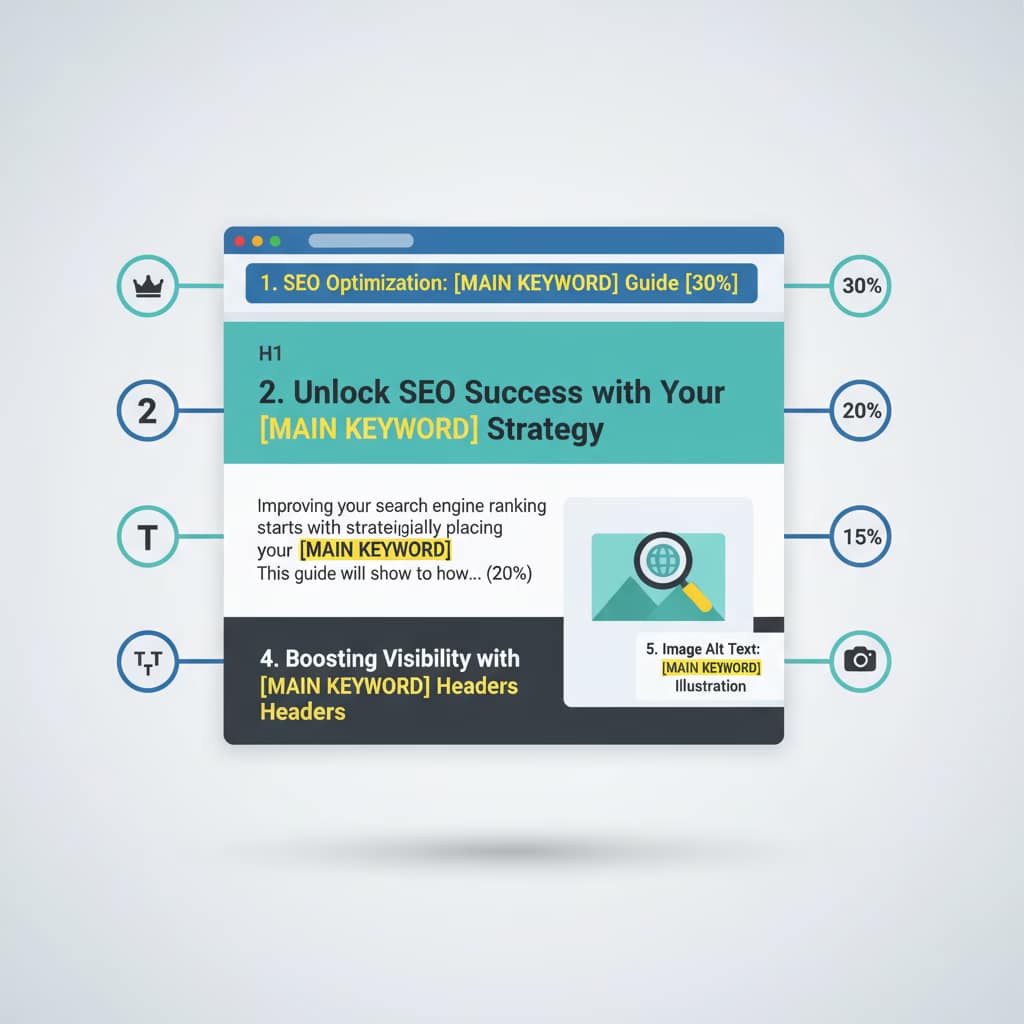
Keyword placement is about putting your main keyword in the right spots where Google pays attention.
The most important spots are:
- Your title tag (already covered above)
- Your H1 tag (already covered)
- Your first 100 words
- Your subheadings (H2, H3)
- Your image alt text
- Your meta description
The First 100 Words Rule
Google places extra weight on your opening paragraph. If your primary keyword appears here, you send a clear signal about your page’s focus.
Please don’t force it. Just make sure it appears naturally in your opening.
Image Alt Text: The Underrated Opportunity
Your image alt text describes what’s in your image for accessibility and SEO.
When you add your keyword to image alt text, you reinforce your topic focus. You also help Google understand your images better.
Alt Text Example:
- Weak: “screenshot”
- Strong: “WordPress SEO plugin settings showing on page element optimization options”
The second one includes relevant keywords and actually describes the image.
Why This Matters For Which On Page Element Carries The Most Weight For SEO
Keyword placement isn’t about stuffing keywords everywhere. It’s about putting keywords in spots where Google looks for them and where they make sense for readers.
Strategic keyword placement sends Google a focused signal: “This page is about this topic.”
Your Internal Links: The Connection Web
Why Internal Links Get Underestimated?
Internal links are hyperlinks from one page on your site to another page on your site.
Many SEOs focus on external links (backlinks). But internal links matter more than people realize.
How Internal Links Help Rankings?
Internal links help Google discover your pages. They help Google understand your site structure. They help distribute ranking power across your site.
When you link from a strong page to a weak page, you help the weak page rank better.
How To Use Internal Links Right?
Link to related content naturally. If you’re writing about WordPress SEO, link to your articles about title tag optimization or keyword research.
Use descriptive anchor text. The words you use for the link should tell readers what they’re clicking to.
Internal Link Example:
- Weak: “Click here for more information.”
- Strong: “Learn more about on page SEO optimization with our complete WordPress guide.”
The second link tells readers exactly what they’ll find. Google understands better too.
The Strategic Value
Which on page element carries the most weight for SEO? Internal linking doesn’t get listed as a top factor. But it supports other factors.
Good internal linking helps your important pages rank better. It creates a web of related content that Google loves.
The Real Answer: It’s Not Just One Element
The Ranking Factor That Actually Wins
If you’ve been reading closely, you’ve noticed something: there’s no single answer to which on page element carries the most weight for SEO.
It’s not that simple.
Your title tag matters. Your content matters. Your headers matter. Your keyword placement matters. Your internal links matter.
They work together.
Think of a car engine. The spark plugs matter. The fuel matters. The pistons matter. The crankshaft matters. You can’t just focus on one piece and expect the car to run well.
The Hierarchy That Actually Works?
If you had to rank which on page elements carry the most weight for SEO, here’s what the data shows:
- Content Quality (35% importance)
- Title Tag (25% importance)
- Keyword Relevance (20% importance)
- Headers & Structure (10% importance)
- Internal Links & User Experience (10% importance)
These numbers aren’t official. Google doesn’t publish them. But they reflect what we see in real-world testing.
Quality content beats everything. But great content with a weak title tag won’t rank. And great content with a great title tag, but a confusing structure won’t convert visitors.
What does this mean for your WordPress Site?
When you’re optimizing your WordPress pages, work on these elements in order:
- First, write content that surpasses your competitors. Make it longer, more detailed, and more helpful.
- Second, craft title tags that include your keyword and promise a benefit.
- Third, make sure your keywords appear naturally throughout, especially in your opening.
- Fourth, organize your content with clear headers that include keywords.
- Fifth, add strategic internal links to connect related content.
How To Audit Your Current Pages For These Elements
The 5 Minute Audit
Here’s how to check if your existing pages optimize for which on page element carries the most weight for SEO:
Step 1: Check Your Title Tag
Open your WordPress editor. Look at your post settings. Does your title tag:
- Include your main keyword?
- Have a power word?
- Stay under 60 characters?
- Promise a benefit?
Step 2: Check Your H1
Does your page have one clear H1? Does it include your main keyword naturally?
Step 3: Read Your First 100 Words
Do they clearly explain your topic? Does your main keyword appear naturally?
Step 4: Scan Your Headers
Do you have clear H2 tags for main sections? Do they make sense as an outline?
Step 5: Check Image Alt Text
Do your images have descriptive alt text? Does any include your keyword naturally?
The Bigger Picture
This audit takes five minutes per page. Doing it on your top 10 pages shows you which elements need improvement.
Most sites find that improving just these elements on existing pages boosts traffic 10% to 25% in the first month.
Common Mistakes With On Page Elements
Mistake #1: Stuffing Keywords Everywhere
Many SEOs think more keywords equal better rankings.
This stopped working around 2012.
Google’s algorithms now punish keyword stuffing. When you force your keyword into every sentence, your content reads badly and Google notices.
Use your keyword naturally. If you can’t fit it in naturally, skip that spot.
Mistake #2: Ignoring Meta Descriptions
Some SEOs skip meta descriptions because Google says they don’t directly affect rankings.
This is short-sighted.
Your meta description affects clicks. Clicks affect rankings indirectly. Write good meta descriptions.
Mistake #3: Using Multiple H1 Tags
Some WordPress themes use H1 for your title and H1 again for your first heading.
This confuses Google. Use one H1 per page.
Mistake #4: Weak Title Tags
Many WordPress users use their blog title as their title tag for every post.
“My Blog: Article Title” doesn’t help rankings.
Instead, craft unique title tags that include your keyword and a benefit.
Mistake #5: Skipping Internal Links
New sites often have no internal links between related pages.
This misses a huge opportunity. Link your content together strategically.
Tools To Help You Optimize Which On Page Element Carries The Most Weight For SEO
The Best Keyword Search Intent Identifier Tool: Before you write, understand what people are actually searching for.
Search intent tools indicate whether people are seeking information, a product, or something else. This shapes how you write and what elements you emphasize.
Tools like SEMrush and Ahrefs have intent identification built in.
Using A Content Optimization Tool
Content optimization tools scan your page and rate how well your content matches your target keyword.
They check:
- Keyword density
- Keyword placement
- Related keyword usage
- Header structure
- Content length
Tools like Yoast SEO and Rank Math provide these checks right in WordPress.
The Headline Analyzer Tool
Your headline (title tag and H1) makes or breaks your click-through rate.
Headline analyzers grade your titles and suggest improvements. They check for emotional triggers, power words, and length.
Tools like Digital Mansoor Headline Analyzer are free to use.
Competitor Content Gap Analysis Tool: see what your competitors cover that you don’t.
Use tools to compare your content against top-ranking competitors. Find gaps you can fill.
This shows you what topics need more depth to rank better.
Best Keyword Finder Tool
Find keywords that are valuable but not too competitive.
Keyword finder tools like Ubersuggest and Google Keyword Planner help you discover opportunities.
Look for keywords with a reasonable search volume and competition levels that you can effectively target.
Online Readability Test Tool
Your content needs to be readable to real humans.
Readability tools check your sentence length, word complexity, and overall clarity. Aim for 6th to 8th grade reading level for most audiences. Tools like Hemingway Editor and Grammarly provide this.
How Google Actually Weighs On Page Elements
What Google’s Own Docs Say, Google publishes guidelines about ranking factors.
They emphasize:
- Content quality above all else. If your content doesn’t answer the user’s question thoroughly, no optimization helps.
- Title relevance. Your title should match what people search for and what your page covers.
- User experience. How long do people stay on your page? Do they come back? These signals matter.
- Mobile-friendliness. Most searches happen on mobile. If your page doesn’t work on mobile, you lose rankings.
- Page speed. Faster pages rank better. WordPress sites should load in under 3 seconds.
The Elements Google Doesn’t Mention Much
Keyword density isn’t mentioned in Google’s guidelines. It’s not a direct factor.
Meta keywords aren’t mentioned. Google ignores them now.
Exact match domains don’t get special treatment anymore.
H1 tags don’t guarantee rankings, but they help with clarity.
The Reality Of Which On Page Element Carries The Most Weight For SEO
Which on page element carries the most weight for SEO according to actual ranking data?
Content quality. Consistently, in every study we see, content quality predicts rankings better than any single on page element.
But title tags, headers, and keyword placement support content quality. They help search engines and users understand your content.
You need both great content and proper optimization.
Advanced Optimization: Taking It Further
Schema Markup And Structured Data
Schema markup helps Google understand your content better.
For example, if you’re reviewing WordPress SEO plugins, schema markup tells Google exactly which products you’re reviewing and your ratings.
This can help you appear in rich snippets, which get clicked more often.
Adding schema markup takes extra time but pays off for certain content types (reviews, articles, products).
Mobile Optimization Details
Since most searches happen on mobile, your mobile pages are crucial.
Make sure:
- Your title tag doesn’t get cut off on mobile
- Your headers are readable on small screens
- Your internal links are tap-friendly (not too small)
- Your images load fast on mobile
Mobile optimization isn’t just one element. It’s how all elements work on smaller screens.
Loading Speed Optimization
Page speed is a Google ranking factor.
WordPress sites often load slowly because of heavy plugins. Consider:
- Using a caching plugin like WP Super Cache
- Optimizing images before uploading
- Removing unnecessary plugins
- Using a CDN (content delivery network)
Speed optimization affects all on page elements. If your page loads slowly, people leave before reading your title, headers, or content.
User Behavior Signals
Which on page element carries the most weight for SEO ultimately depends on what users do with your page.
If people bounce immediately, all your optimization means nothing. If people stay, scroll through, and click internal links, your elements are working together.
Improve user experience by:
- Using clear, scannable formatting
- Breaking long paragraphs into short ones
- Using images and whitespace
- Making your point early and clearly
FAQ: Questions About On Page SEO Elements
Q: Does keyword density really matter for rankings?
A: Not as much as it used to. Aim for your main keyword to appear 1-2 times per 100 words. That’s natural. Anything more feels forced and Google notices.
Q: Should I use my exact keyword in my H1?
A: Ideally yes, but naturally. Your H1 should be readable first and optimized second. If your keyword doesn’t fit naturally, use a related term instead.
Q: How many internal links should I add per post?
A: There’s no magic number. Link to relevant content when it makes sense for readers. Three to five internal links per 2,000 words is typical.
Q: Is it better to have longer titles or shorter titles?
A: Shorter titles get fully displayed in search results. But they have less room for keywords and details. Aim for 50-60 characters. If your keyword needs a longer title, go up to 70 characters maximum.
Q: Do header tags improve rankings directly?
A: Not directly. But they improve content structure, user experience, and help Google understand your page. All of those help rankings indirectly.
Q: What’s the difference between H1 and title tags again?
A: Your title tag appears in search results and browser tabs. Your H1 appears on the page itself as a headline. Both matter, but for different reasons.
Q: Should every header include my main keyword?
A: No. Only your main H2 or first header should include it. Other headers can use related terms or just organize your content logically.
Q: Does image alt text help with SEO?
A: Yes. It helps Google understand your images. It also helps visually impaired users. Always use descriptive alt text.
Q: How do I check if my pages are optimized properly?
A: Use Yoast SEO, Rank Math, or SEMrush’s content optimizer. These tools scan your page and show you what needs improvement.
Q: Can I rank without backlinks if my on page elements are perfect?
A: Very hard. Backlinks are still important. But perfect on page optimization with weak backlinks beats weak on page optimization with strong backlinks.
The Bottom Line: Which On Page Element Carries The Most Weight For SEO
After looking at the data, testing in real campaigns, and studying how Google works, here’s the truth:
There is no single most important on page element. But if forced to choose one, it’s content quality.
Everything else supports content quality. Your title tag gets people to click. Your headers organize the content. Your keyword placement clarifies your topic. Your internal links show context.
But if your content is weak, none of that helps.
So here’s your action plan:
- Write content better than your competitors. Make it longer, more detailed, and more helpful.
- Craft title tags with your keyword and a benefit.
- Use one clear H1 with your main keyword.
- Include your keyword naturally in your first 100 words and throughout your content.
- Structure your content with clear H2 and H3 headers.
- Add strategic internal links to related pages.
- Write a compelling meta description.
- Optimize images with descriptive alt text.
Do these eight things consistently on your WordPress site, and you’ll outrank competitors who ignore them.
Which on page element carries the most weight for SEO? The one you haven’t done yet.

Mansoor Bhanpurawala is the founder of DigitalMansoor.com, where I write about SEO, Digital Marketing, and Blogging.
With over 13 years of experience, I have helped 600+ clients across industries build sustainable online growth.
With consulting, I enjoy sharing beginner-friendly guides to help others start and scale their blogs and brands.
Leave a Reply