Best CMS for Blogging in 2026: WordPress vs Ghost vs Squarespace (Full Comparison, Security & Migration Guide) New

TL;DR
- WordPress.org wins for most bloggers on flexibility and long-term SEO control, but it also carries the largest security attack surface of these three. That trade-off rarely gets stated plainly.
- Ghost trades plugin flexibility for built-in speed and a newsletter-first model. Squarespace trades both for design simplicity, and gives up real SEO and content-export control in return.
- CMS security comes down to update discipline and hosting choice more than the platform alone. Ghost’s smaller ecosystem reduces attack surface. It doesn’t remove risk.
- Migrating between these three, or off Blogger or Wix, is the step every “best CMS” roundup skips. Broken permalinks and lost rankings are the default outcome without deliberate redirect handling.
- None of the three handle high-traffic performance well out of the box. Caching, CDN, and database architecture end up mattering more than the CMS choice once a blog is publishing at real scale.
The Best CMS for Blogging in 2026
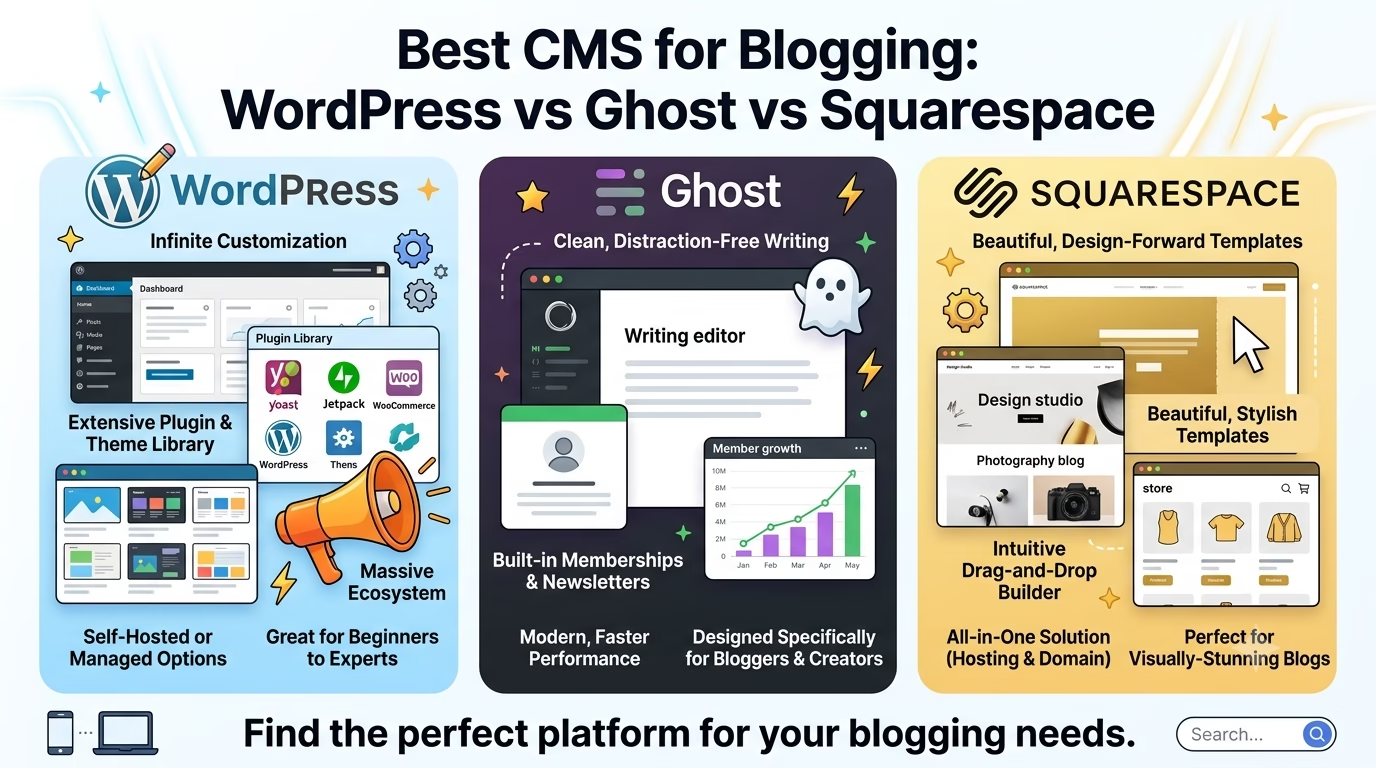
The best CMS for blogging in 2026 depends on what happens after you hit publish, not before. WordPress.org remains the strongest default for most bloggers because of its plugin ecosystem and full SEO control, but it also carries the largest security attack surface of the three platforms compared here. Ghost gives up some of that flexibility for built-in speed and a newsletter-first design suited to writers monetizing through subscriptions. Squarespace suits design-first bloggers who won’t need a plugin ecosystem, at the cost of real SEO and content-export control later. After 14 years in SEO, the CMS that wins is the one whose limitations you can live with two years in, not the one with the longest feature list on launch day.
What “Best CMS for Blogging” Actually Means in 2026
A CMS, short for content management system, is the software layer that lets you publish and manage blog content without hand-coding every page. WordPress, Ghost, and Squarespace are three ways of doing that job, not the only three. Every blogger needs one for the same reason: a blog is dozens or hundreds of interlinked pages, and maintaining that structure by hand stops being realistic past your first few posts.
ELI5: Think of a CMS as a car’s dashboard, not the engine. You don’t need to understand how the SEO and hosting “engine” works underneath. The CMS gives you buttons to write and publish your blog without touching code.
Most “best CMS” roundups compare eight or ten platforms at once and end up shallow on all of them. This guide narrows to the three platforms a working blogger chooses between in 2026, and goes deeper on what those roundups skip: security, migration, architecture at scale, and API access.
Quick Verdict
| WordPress.org | Ghost | Squarespace | |
|---|---|---|---|
| Best for | Bloggers who want full control and plan to scale | Writers monetizing through a paid newsletter | Design-first bloggers who won’t need plugins |
| Typical cost | Free software; hosting runs roughly $3-30/month depending on tier | $18-199/month (Ghost Pro, billed yearly), no permanent free tier | Roughly $16-40/month depending on plan, no permanent free tier |
| SEO control | Full control: schema, redirects, plugins like Yoast or Rank Math | Strong SEO built in, less configuration needed | Workable, but limited on structured data and URL control |
| Security model | Largest attack surface: 91% of the 11,334 new WordPress vulnerabilities found in 2025 came from plugins, not core (Patchstack, 2026) | Smaller attack surface with no comparable plugin marketplace | Fully managed platform; no self-installed plugins to patch |
| API access | Built-in REST API, read-write, no plugin required | Two-tier: read-only Content API plus a read-write Admin API | No blog content API at all; only commerce and forms endpoints |
| Leaving later | Large ecosystem of import/export tools | Smaller ecosystem, but a clean, portable data model | Blog posts export via XML; galleries and linked PDFs don’t come with them |
WordPress vs Ghost vs Squarespace: The Full Comparison
| Dimension | WordPress.org | Ghost | Squarespace |
|---|---|---|---|
| Software cost | Free, open source | Free to self-host, but running your own server puts most bloggers back on Ghost(Pro) anyway | Proprietary, subscription only |
| Hosting/subscription cost | Roughly $3-30/month depending on tier | $18-199/month (Ghost Pro, billed yearly) | Roughly $16-40/month depending on plan |
| Ownership | Full: you own the files, database, and domain | Partial: your content is yours, hosting infrastructure isn’t | None: content lives inside Squarespace’s platform |
| Design/theming | Largest ecosystem of the three; free and premium themes and page builders like Elementor | Smaller, curated theme set; Handlebars templating for custom work | Most polished out of the box, no CSS required |
| SEO control | Full: schema, redirects, URL structure, direct robots.txt access | Strong defaults, less configuration needed | Workable but limited on structured data and URL control |
| Plugin/integration ecosystem | Largest of the three; also its biggest security liability | Small; native features over third-party plugins | Smallest; Squarespace Extensions and a handful of app connections |
| Built-in features | Minimal; nearly everything is a plugin | Memberships, newsletters, and subscriptions built in natively | Covers most blogging needs without add-ons |
| Best for | Bloggers who want full control and plan to scale | Writers monetizing through a paid newsletter | Design-first bloggers who won’t need plugins |
Cost, Ownership, and Lock-In
WordPress.org software costs nothing. You pay for hosting instead, which puts you in control of the number: shared hosting starts around $3-5/month, and managed WordPress hosting built for a growing blog runs $20-30/month. You own the files, the database, and the domain. Nothing stops you from moving hosts on a weekend if a provider raises prices or degrades performance.
Ghost and Squarespace bundle hosting into the subscription. Ghost(Pro) starts at $18/month for a solo blog or newsletter and jumps to $29/month once you need custom themes or a second staff account, with a $199/month tier for larger publications. Squarespace’s plans run roughly $16-40/month depending on which tier and billing term you pick. Both give you one bill and one point of support, at the cost of being tied to that vendor’s infrastructure and pricing decisions.
Self-hosting Ghost is technically possible and free at the software level, but it requires managing a Node.js server yourself, which puts most bloggers back in Ghost(Pro) territory anyway.
Design and Theming Flexibility
WordPress has the largest theme and page-builder ecosystem of the three by a wide margin, including free options and premium builders like Elementor. That range comes with a tradeoff: theme quality varies enormously, and a bad theme can slow a site down before you’ve published a single post.
Ghost ships with a smaller set of built-in, well-maintained themes and a template language (Handlebars) for custom work. Fewer choices, more consistent quality.
Squarespace’s template library is the most polished out of the box. You get real design quality without touching CSS. What you don’t get is the freedom to bolt on arbitrary functionality later. If Squarespace’s template system doesn’t support something, there’s rarely a plugin that will add it.
SEO Control and Site Speed Out of the Box
WordPress gives you the most granular SEO control of the three: full schema markup through plugins like Yoast or Rank Math, custom redirect rules, control over URL structure, and direct access to robots.txt and the sitemap. That control is manual. A misconfigured plugin or an unoptimized theme can hurt site speed just as easily as it can help SEO.
Ghost ships with SEO defaults baked in: clean URL structure, automatic sitemap generation, and structured data out of the box, so getting a technically clean site takes less setup.
Squarespace’s SEO has improved over the years but stays more restricted. Structured data support is limited compared to WordPress, and the platform makes some URL structure decisions rather than leaving them fully to you.
Plugin and Integration Ecosystem vs. Built-In Features
This is where the three diverge the most. WordPress runs on plugins for nearly everything beyond writing and publishing: SEO, forms, backups, security, email capture, analytics. That ecosystem is the platform’s biggest strength and its biggest security liability at the same time, a tradeoff covered in full in the next section.
Ghost takes the opposite approach: fewer plugins, more native features (memberships, newsletters, subscriptions) built directly into the core product. Less to configure, less to secure, and less room to extend beyond what Ghost decides to build.
Squarespace sits at the far end of “built-in over extendable.” Its native feature set covers most blogging needs, and third-party integrations exist through Squarespace Extensions and a handful of app connections, but they fall far short of WordPress’s plugin count.
Who Should Actually Pick Each One
WordPress.org fits a blogger who wants full SEO control, expects to add new tools as the blog grows, and is willing to own the security responsibility that comes with that flexibility. It’s the right default for most people starting a content-focused blog in 2026.
Ghost fits a writer whose blog is a subscription newsletter with a website attached. If membership revenue matters more than plugin variety, Ghost’s built-in tools save real setup time.
Squarespace fits someone who values design polish and simplicity over long-term flexibility, and who’s comfortable trading some SEO control and portability for a platform that handles nearly everything for them.
Security Comparison: Which CMS Is Actually Safer for a Blog?
Every “best CMS” article treats security as a single line item in a feature table. It deserves its own section, because the answer isn’t the same for all three platforms, and the real risk isn’t where most bloggers assume it is.
WordPress Security Reality: Attack Surface, Update Discipline, and Common Vulnerabilities
WordPress’s security problem isn’t WordPress itself. Patchstack’s State of WordPress Security in 2026 report, published in partnership with Monarx, found 11,334 new WordPress vulnerabilities discovered across 2025, a 42% increase over 2024. Of those, 91% came from plugins and 9% from themes. Only 6 vulnerabilities were found in WordPress core itself, and all 6 were rated low severity.
That distribution matters more than the headline number. The risk sits almost entirely in the plugin ecosystem that makes WordPress flexible in the first place. High-severity vulnerabilities grew 113% year over year in the same report, and more high-severity flaws were discovered in 2025 alone than in the previous two years combined. Once a vulnerability goes public, the window to patch it is short: Patchstack found a median time to mass exploitation of 5 hours for heavily targeted flaws, and roughly half of high-impact vulnerabilities get exploited within 24 hours of disclosure. Hosting-level defenses caught only 12% of WordPress-specific vulnerability attacks in the same dataset, which means the plugin update, not the hosting firewall, is doing most of the real protective work.
None of this makes WordPress unsafe to run. It makes plugin discipline the actual security job, not an optional add-on.
Ghost’s Smaller-Surface Security Model
Ghost doesn’t have a plugin marketplace comparable to WordPress’s, which removes the single biggest source of WordPress vulnerabilities (91% of them, per the Patchstack data above) from the equation entirely. There’s no independent vulnerability report at the same scale as Patchstack’s WordPress research to compare directly, so treat this as a structural observation rather than a matching data point: fewer third-party code paths running on your site means fewer places for a vulnerability to hide, not zero risk. Ghost(Pro)’s managed hosting also takes server-level patching off your plate, which is the part of security most bloggers skip on self-hosted WordPress.
Squarespace’s Managed-Platform Security Trade-Offs
Squarespace removes the plugin-installation risk entirely because there’s nothing to install. You can’t add a vulnerable third-party plugin to a Squarespace site because the platform doesn’t allow arbitrary code execution the way a self-hosted CMS does. Server security, patching, and infrastructure hardening are Squarespace’s responsibility, not yours. The trade is the same one that shows up everywhere else in this comparison: less control also means you’re fully dependent on Squarespace’s own security practices, with no way to add your own hardening layer if you wanted to.
A Practical Hardening Checklist for Whichever You Pick
- Turn on two-factor authentication for every account with publishing or admin access, on any of the three platforms.
- On WordPress specifically: update core, themes, and plugins on a fixed schedule rather than “when I remember,” remove any plugin you’re not actively using, and limit login attempts with a security plugin.
- Use unique, long passwords for the CMS admin account and the hosting account separately. A reused password turns one breach into two.
- Keep automated backups running on a schedule independent of the CMS itself, so a compromised site doesn’t take the only backup down with it.
- Restrict plugin and theme installation privileges to accounts that need them if more than one person publishes to the blog.
CMS Architecture for High-Traffic Blogs
What Actually Breaks First as Traffic Scales
The CMS choice matters less than what’s underneath it once a blog starts pulling real traffic. The first thing to buckle is almost always the database, not the CMS software. Every WordPress plugin that queries the database on page load adds latency that stays invisible at low traffic and compounds at scale. A contact form plugin, a related-posts widget, and an SEO plugin each running their own queries on every page view is fine for a hundred visitors a day and a real bottleneck at ten thousand.
Ghost’s architecture, built on Node.js with fewer plugin-style database calls by default, tends to hold up longer before the same kind of degradation sets in. Squarespace sidesteps this entirely because Squarespace, not you, manages the infrastructure scaling behind the scenes, for better and for worse: you get automatic scaling with zero visibility into how it’s handled.
Caching, CDN, and Hosting Architecture by Platform
For WordPress, the standard scaling stack is a caching plugin (or a host that caches at the server level), a CDN in front of static assets, and, past a certain size, moving off shared hosting to managed WordPress hosting or a cloud platform built for it. Cloudways and WP Engine both build their hosting specifically around this problem, handling server-level caching and CDN configuration that would otherwise be a manual setup job.
Ghost(Pro)’s managed hosting includes CDN and caching by default, since Ghost controls the whole stack. There’s less for you to configure and less for you to break.
Squarespace’s CDN and caching happen entirely on Squarespace’s side. You can’t tune it, benchmark it, or move it. That’s the appeal for a blogger who doesn’t want to think about infrastructure, and the limitation for one who eventually does.
When a Headless or Hybrid Setup Is Worth the Added Complexity
A headless setup, where the CMS only manages content and a separate front end renders the site, makes sense once page speed at scale matters more than editorial convenience and there’s engineering time available to build and maintain that separation. For most bloggers, that trade isn’t worth it: you give up the CMS’s built-in preview and editing experience for performance gains that a good caching setup on WordPress or Ghost’s managed hosting already covers. Headless is a real answer for a blog becoming a media property with a dedicated engineering team, not a default recommendation for a growing personal blog.
API and Headless Capability Comparison
WordPress REST API vs. Ghost’s Content and Admin APIs vs. Squarespace’s Limited Access
WordPress ships with a REST API built into core, no plugin required. It’s read-write: a developer can query content and create or modify it, which is also what powers WordPress’s own block editor under the hood. That makes WordPress the most flexible of the three for anyone building a custom front end, a mobile app, or an automated publishing workflow on top of the CMS.
Ghost splits API access into two tiers. The Content API is read-only and built for pulling published posts, pages, tags, and authors into a separate front end or app, authenticated with a public-safe key. The Admin API is the read-write counterpart: it can create, edit, and delete content, using a private key, and it’s the same API Ghost’s own admin interface runs on. Two clear tiers, one for public content delivery and one for actual publishing control.
Squarespace has no API for blog content at all. Its developer API surface covers commerce and operations only: Forms, Orders, Inventory, Transactions, Contacts, Products, and webhook subscriptions. There’s no endpoint for posts, pages, or blog content of any kind. A blogger who wants to pull their Squarespace posts into another app or automate publishing from outside the platform has no official way to do it.
When API Access Actually Matters for a Blogger
Most bloggers never touch their CMS’s API directly, and that’s fine. It matters if you’re planning to build a custom app on top of your content, automate cross-posting to other platforms, or eventually go headless for performance. If any of that is on the roadmap, WordPress or Ghost are the only two of these three that support it. Squarespace’s complete lack of a content API isn’t a minor gap; it’s a hard ceiling on anything beyond what Squarespace’s own interface lets you do.
How to Migrate Your Blog Without Losing Rankings
Having handled cross-platform migrations for clients over 14 years in SEO, the pattern that causes lost rankings is almost always the same: someone moves the content and forgets the URLs pointing at it. Google doesn’t penalize a CMS migration. It penalizes broken links and missing redirects, which happen to show up most often during a migration.
Blogger → WordPress Migration, Step by Step
- Export your Blogger content through Settings > Other > Back up content, which produces an XML file with your posts, pages, and comments.
- Install WordPress on your new hosting and import that XML file using WordPress’s built-in Blogger importer under Tools > Import.
- Record every old Blogger URL pattern (typically
yourblog.blogspot.com/YYYY/MM/post-title.html) before you touch anything else. - Set up 301 redirects from each old URL pattern to its new WordPress equivalent. A plugin like Redirection can do this in bulk if your permalink structure is consistent.
- Submit a Change of Address request in Google Search Console once the new site is live and redirects are confirmed working.
- Update your XML sitemap and resubmit it in Search Console so Google can find the new URLs directly, not just through redirects.
WordPress.com → WordPress.org Migration, Step by Step
- Use WordPress.com’s built-in export tool (Tools > Export) to download your full content as an XML file.
- Set up hosting and a fresh WordPress.org install, then import the XML file the same way as any WordPress-to-WordPress migration.
- Because both platforms usually keep the same permalink structure, redirect needs here are often lighter than a Blogger migration, but confirm URL patterns match before assuming that.
- Point your domain’s DNS at the new host once the new site is tested and live.
- Submit a Change of Address in Search Console if the domain itself changed; skip this step if you kept the same domain and only moved hosting.
Squarespace or Wix → WordPress or Ghost Migration, Step by Step
- Export blog posts from Squarespace’s Import & Export panel as XML. Note before you start: this export includes titles, post bodies with inline images, URLs, dates, authors, tags, and meta descriptions, but it leaves out gallery-block images and any PDFs linked in your posts. Download those separately first.
- For Wix, use Wix’s own export or a dedicated migration plugin, since Wix’s export options are more limited than Squarespace’s.
- Import the XML into your new WordPress or Ghost install and manually check every post for missing gallery images or broken PDF links before publishing anything.
- Map every old URL to its new equivalent by hand if the permalink structures don’t match, which is common in a Squarespace or Wix migration since both platforms use their own URL conventions.
- Set up 301 redirects for every mapped URL, verify each one loads correctly, then submit a Change of Address in Search Console.
The Redirect and Canonical Mistakes That Actually Tank Rankings
Google’s own site-migration guidance is specific about this, and most of the mistakes come from skipping a step rather than doing one wrong. Use server-side 301 or 308 redirects, not JavaScript or meta-refresh redirects, since Google explicitly recommends server-side redirects when technically possible. Keep redirect chains short: Google will follow up to 10 hops but recommends 3 or fewer, and every extra hop adds latency for both users and crawlers. Give every new page a self-referencing canonical tag pointing at its own URL. Keep the redirects live for at least a year, since that’s how long Google recommends maintaining them to fully transfer ranking signals, and leaving them active indefinitely is safer for user experience even after that year passes.
The most common failure is forgetting to remove a noindex tag or a robots.txt block that was fine on the staging version of the new site and stays in place once it goes live.
CMS Selection Checklist
Print this or save it before you commit to a platform.
- Confirm your budget covers ongoing hosting or subscription cost, not just the first month’s promotional price.
- Decide whether full SEO control (WordPress) or built-in SEO with less configuration (Ghost) matters more for your niche.
- Check whether you need a plugin ecosystem for future features, or whether the platform’s built-in tools will cover what you plan to add.
- Confirm the platform’s security model matches how much ongoing maintenance you’re willing to do yourself.
- Test the platform’s actual editor for a week with real posts before committing. A demo login isn’t the same as a publishing habit.
- Check what a full content export looks like on that platform before you need it, not after.
- Confirm whether you’ll need API access for anything beyond publishing through the CMS itself.
- Read the platform’s own pricing page for what happens at your next tier up, since blog growth usually forces an upgrade within the first year.
CMS Migration Checklist
Use this before starting any migration, regardless of source or destination platform.
- Export your current content and confirm the export file opens and contains everything, before you touch the old site.
- Record every existing URL pattern, ideally by pulling a full URL list from Google Search Console or your XML sitemap.
- Set up the new platform and import content into a staging environment first, not the live domain.
- Manually check a sample of imported posts for missing images, broken formatting, or lost metadata.
- Map every old URL to its new equivalent, even if you expect the structure to match.
- Set up and test every 301 redirect before pointing the domain at the new site.
- Update and resubmit your XML sitemap in Search Console once the new site is live.
- Submit a Change of Address in Search Console if the domain changed.
- Monitor Search Console’s Coverage and Performance reports weekly for the first month after migration, watching for a spike in crawl errors or a drop in indexed pages.
- Keep redirects active for at least a year, per Google’s own migration guidance.
FAQ
Is WordPress still the best CMS for blogging in 2026?
For most bloggers, yes, largely because of the plugin ecosystem and full SEO control it offers. WordPress powers 40.8% of all websites and 59% of sites with a known CMS as of August 2026, according to W3Techs, which also gives it the most support and documentation of the three.
Is Ghost more secure than WordPress?
Ghost’s smaller plugin ecosystem removes the biggest source of WordPress vulnerabilities (91% of the 11,334 found in 2025 came from plugins, per Patchstack). That’s a structural advantage, not a guarantee. Ghost hasn’t been studied at the same research depth as WordPress security, so treat this as a reasoned comparison rather than a matched dataset.
How do I migrate my blog from Blogger to WordPress without losing my Google rankings?
Export your Blogger XML, import it into WordPress, then set up 301 redirects from every old Blogger URL to its new WordPress equivalent before submitting a Change of Address in Search Console. The full step-by-step process is above.
Can I move from WordPress.com to self-hosted WordPress.org later?
Yes, and it’s one of the more straightforward migrations of the three covered here since both platforms share the same underlying software and often the same permalink structure.
Does Squarespace have good SEO for blogging?
It’s workable but more limited than WordPress or Ghost, particularly around structured data and URL control. Squarespace has improved its SEO tooling over the years, but you’re working within what the platform allows rather than configuring it freely.
What CMS architecture handles high-traffic blogs best?
None of the three handle it automatically. WordPress needs a caching layer and often a move to managed hosting as traffic grows; Ghost’s architecture holds up longer by default; Squarespace scales automatically but gives you no control over how.
Does WordPress or Ghost have a better API for developers?
WordPress’s REST API is built in and read-write from the start. Ghost splits access into a read-only Content API and a separate read-write Admin API. Both are real options for developers; Squarespace has no content API at all.
How much does it typically cost to migrate a blog to a different CMS?
It depends heavily on blog size and how much of the migration you handle yourself versus hiring out. A small blog with a clean XML export and matching permalink structure can be a weekend DIY project with no cash cost beyond new hosting. A large blog with custom URL structures, thousands of posts, or a hired developer for redirect mapping can run into real professional fees. There’s no reliable industry-average figure to cite here, so treat any specific dollar number you see elsewhere with some skepticism.
What’s the biggest real-world security risk with a WordPress blog?
An outdated or abandoned plugin. Plugins accounted for 91% of the 11,334 new WordPress vulnerabilities found in 2025, and WordPress core itself had only 6, all low severity, in the same report.
Is a headless CMS worth it for an ordinary blogger?
Usually not. The performance gains it offers are gains a good caching setup on WordPress or Ghost’s managed hosting already delivers for most blogs, and you lose the built-in editing and preview experience in exchange.
How do I choose the right CMS for a new blog?
Match it to what you’ll do with the blog for two years, not its feature list on day one: WordPress.org for full SEO control and room to grow, Ghost if it’s a paid newsletter first, Squarespace if design matters more than flexibility.
CMS vs. website builder, what’s the difference?
A CMS like WordPress separates content from design, so you can swap themes, add plugins, and move hosts freely. A website builder like Squarespace or Wix bundles hosting, design, and content into one closed system, easier to start with, harder to customize or leave later.
What’s the best CMS for SEO in 2026?
WordPress.org, if you configure it: full control over schema, redirects, site speed, and plugins like Yoast or Rank Math. Ghost has strong SEO built in with less setup required. Squarespace’s SEO is workable but more restricted, especially on structured data and URL control.
What are the pros and cons of a headless CMS for blogging?
Pros: faster page loads, framework flexibility, no plugin bloat. Cons: no built-in editor UI, most changes need a developer, and blogging SEO tooling like redirect managers and schema plugins doesn’t exist yet for headless setups. Most bloggers don’t need it.
What are the best free CMS platforms for blogging?
None of WordPress, Ghost, or Squarespace are free the way Blogger, Medium, or Substack are. WordPress.org software costs nothing, but hosting still costs money. If a $0 budget is non-negotiable, WordPress.com’s free tier, Blogger, or Substack are the real free options, though each trades away the SEO and ownership control this guide compares WordPress.org against Ghost and Squarespace on.
Final Verdict
Pick WordPress.org if you want full SEO control, expect to grow past a basic blog, and are willing to own the plugin-update discipline that comes with it. Pick Ghost if the blog is a paid newsletter first and you’d rather have fewer, better-built native tools than a plugin marketplace. Pick Squarespace if design quality and simplicity matter more than SEO control or the freedom to leave later.
None of these choices is permanent. How long you wait to plan a migration locks you in more than the CMS itself.
Hey, I’m Mansoor Bhanpurawala, and I have 20K+ followers on LinkedIn. I’ve been doing SEO since 2012 and, with 14+ years of experience, have helped 600+ clients across multiple industries build sustainable online growth.
With consulting, he enjoys sharing beginner-friendly guides to help others start and scale their blogs and brands. He’s grown client traffic up to 50X and revenue up to 240X. Helped multiple clients get mentions on TOI, Forbes, Mint, etc.






Leave a Reply