Last updated on November 16th, 2026 at 01:55 pm
Google retired the FAQ rich result on May 7, 2026, and its documentation page for it is gone. A lot of “schema markup for SEO” advice still starts with FAQ markup. That tells you how much of the topic runs on habit.
Here is the current picture. Schema markup is code that describes what a page is, in a vocabulary search engines share. It can make a page eligible for rich results, it helps Google understand the page, and it’s a low-risk habit when done accurately. It won’t rescue weak content, and the AI claims around it are thinner than vendors imply.
What Google says it does
Google’s introduction to structured data describes it as explicit clues about a page’s meaning. Google uses it to understand the page and to gather information about entities such as people, books and companies. It can also enable rich results, which Google says may make listings more engaging.
Notice the hedging. The page says structured data can enable rich results. It does not promise that markup will produce one. The policy page repeats the point: Google does not guarantee that your structured data will show up in search results, and eligibility doesn’t ensure display.
Google supports three formats: JSON-LD, Microdata and RDFa. It recommends JSON-LD and calls it the easiest to implement and maintain at scale, while saying all three are equally fine if the markup is valid. For nearly every site, that settles the format question. Use JSON-LD, which sits in one block in the page instead of being threaded through your HTML.
Which types are still worth the effort
Google keeps a gallery of the search features that structured data supports, and the gallery shrinks from time to time. In June 2025, Google announced it was phasing out support for several types because they weren’t commonly used and no longer added much value, among them Course Info, Claim Review and Vehicle Listing. The FAQ rich result followed in 2026.
Before you add any type, check it against the current gallery. For a typical business site, these are the ones that matter:
| Type | What Google’s gallery lists it for | Add it when |
|---|---|---|
| Organization | Logo, legal name, contact details and identifiers for knowledge panels | You want a clean brand entity on your homepage or about page |
| Article | News, sports or blog articles with title and larger images | You publish blog posts and want the author and dates stated clearly |
| Breadcrumb | Shows the page’s position in the site hierarchy | Your site has a real category structure |
| Product | Price, availability and review ratings, with sub-features for merchant listings and variants | You sell products on indexable product pages |
| Local business | Business details such as hours, ratings and directions | You serve customers at a physical location or service area |
There are also types for events, jobs, recipes, videos and software apps. If your content fits one, the gallery has the feature-specific rules.
Don’t add types that don’t describe your page. Google’s policy page gives an example: labelling instructions as recipes on a woodworking site is irrelevant markup.
What a JSON-LD block looks like
This is a simplified Article block for a blog post, using a made-up site. Yours should only claim what’s visible on the page.
<script type="application/ld+json">
{
  "@context": "https://schema.org",
  "@type": "Article",
  "headline": "How to Read a Page Indexing Report",
  "datePublished": "2026-03-04",
  "dateModified": "2026-09-18",
  "author": {
    "@type": "Person",
    "name": "Asha Verma",
    "url": "https://example.com/about/asha-verma/"
  },
  "publisher": {
    "@type": "Organization",
    "name": "Example Studio",
    "url": "https://example.com/"
  },
  "image": "https://example.com/images/indexing-report.jpg"
}
</script>
The headline, dates, author and image should all appear on the page itself. If the byline on the page says one thing and the markup says another, you’ve created exactly the mismatch Google’s policy warns about.
Many WordPress SEO plugins can output schema automatically. Before you add custom blocks, view the page source or run the page through Google’s Rich Results Test and see what’s already there. Two overlapping Article blocks help nobody.
The rules that cost people rich results
Google’s structured data policies come down to a short list.
Mark up only what users can see. The policy says not to mark up content that isn’t visible to readers of the page, and the intro page adds that you shouldn’t do it even when the hidden information is accurate.
Include the required properties. Items missing required properties aren’t eligible for rich results, though recommended properties improve quality. Google also advises providing fewer properties that are complete and accurate over many that are malformed.
Put the markup on the page it describes. For duplicate pages, apply the same markup to all of them, not only the canonical.
Don’t block marked-up pages. A page blocked by robots.txt or noindex can’t pass its markup to Google.
Never mark up fake or non-user reviews. Doing so can lead to a manual action. Google says that costs the page its eligibility for rich results, and that rankings in Google web search aren’t affected. That’s less dramatic than the usual warnings, but losing review stars on a product page can still hurt clicks.
How to test and monitor
Use the Rich Results Test while building, since it validates markup and in some cases previews the feature. After deployment, use the rich result status reports in Search Console, because templates and plugins can break markup silently. The URL Inspection tool confirms that Google has found structured data on a specific page, and the Performance report lets you compare pages with and without markup over time.
Be careful with that last comparison. Pages that get markup are often your best pages. Any lift you see may belong to the page, not the markup.
What happened to FAQPage
For years, FAQPage markup was the most-installed schema type on small business sites. Google restricted FAQ rich results in 2023, and its FAQ documentation now says the feature stopped appearing in Google Search from May 7, 2026. The documentation itself was removed on June 15, 2026.
Two consequences follow. If someone sells you FAQ schema to win expanded search results in Google, that product no longer exists. And because Google removed the documentation, it no longer lists FAQPage markup as a supported feature.
The markup is still valid schema.org vocabulary, and other systems may read it. If your page has a real FAQ section that readers use, there’s no harm in leaving existing markup in place. But removing it isn’t urgent either, and nobody has shown that it improves your standing in Google.
Does schema help with AI search?
It depends on whose AI you mean.
Google says no. Its AI features documentation states that no special schema.org structured data is required to appear in AI Overviews or AI Mode, and that any structured data you use should match the visible text.
Microsoft says yes, in a limited way. Search Engine Land reported that Fabrice Canel of Bing said at SMX Munich in March 2025 that schema markup helps Microsoft’s LLMs understand content. That was relayed through a LinkedIn post, so it’s a secondhand account of a conference talk.
For everything else, there’s no confirmation. A Search Engine Land piece on schema and AI search cites a December 2024 study from Search/Atlas that found no correlation between schema coverage and citation rates, and says the evidence for platforms other than Bing and Google is missing. I’d read that study as a signal, not a verdict, since I haven’t seen its method.
So the sensible position is modest. Schema probably helps the engines that say they use it understand your page. It’s unproven as a citation tactic for ChatGPT or Perplexity. Budget it as hygiene, not as an AI strategy.
Product markup in practice
Product is the type most likely to change how a listing looks, and the one most often applied wrongly. Google’s gallery lists price, availability and review ratings, with sub-features for merchant listings, variants and return and shipping policies. Product rich results work for pages about a single product. A category page that lists thirty products doesn’t qualify as one product page, so putting Product markup on it is a mistake.
If you sell variants, such as one shirt in four sizes, Google’s documentation describes a ProductGroup structure with a hasVariant property, a variesBy property and a shared productGroupID. Google’s product variant page says each variant must be selectable with a distinct URL, and that a single-page setup needs only one distinct canonical URL for the overall group. I go deeper on that in my ecommerce SEO checklist.
The review rule matters most here. Ratings in your markup have to come from real users and show on the page. Copying a manufacturer’s star rating into your own markup is the kind of thing that triggers a manual action.
Auditing the markup you already have
A site can easily end up with schema from three sources at once: the theme, the SEO plugin and a standalone plugin someone installed years ago. Open a few key pages, view the source, and search for ld+json. Count the blocks. Check that every date, author and image in the markup matches what a visitor sees.
Then check Search Console’s rich result status reports for errors and warnings. Google says items missing required properties aren’t eligible for rich results, so treat errors as the priority on pages that matter. Warnings can wait.
When to skip it
If your site is a five-page brochure with no products, events or articles, the plugin’s default Organization output is enough. Don’t spend a week hand-writing markup for features your content can’t qualify for.
A sensible order of work
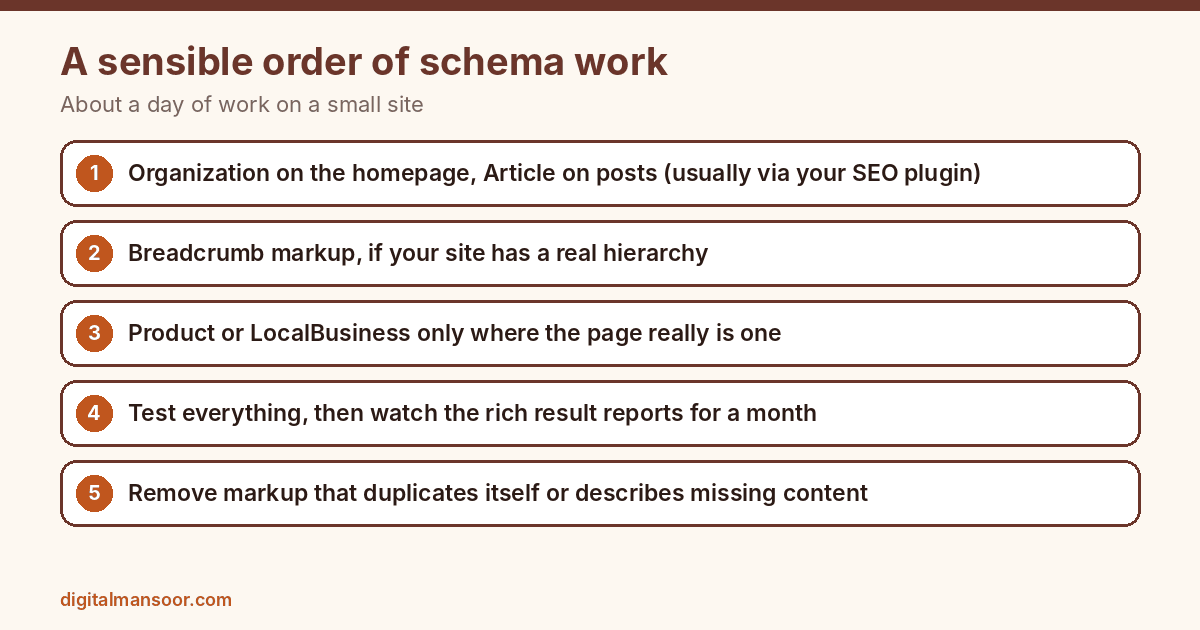
- Output Organization schema on your homepage and Article schema on posts, usually through your SEO plugin.
- Add Breadcrumb markup if your site has a real hierarchy.
- Add Product or Local business markup where the page really is one.
- Test everything, then watch the rich result status reports for a month.
- Remove markup that duplicates itself or describes content that’s no longer on the page.
That should take a day or so on a small site. If yours needs far more, check for templates that output conflicting blocks. That kind of cleanup is part of my technical SEO consulting work.
Quick answers
Is schema markup a ranking factor?
Google’s documentation presents it as a way to understand pages and enable rich results. It doesn’t describe markup as a ranking factor, so don’t expect a rankings jump from adding it.
JSON-LD or Microdata?
JSON-LD. Google recommends it, and it’s easier to maintain because it sits apart from your visible HTML.
Should I delete my FAQPage markup?
You can leave it if it matches a visible FAQ on the page. Google no longer shows the rich result, so don’t add it to new pages hoping for one.
Leave a Reply