You submit products to ChatGPT by applying at chatgpt.com/merchants and then delivering a product feed that follows OpenAI’s schema. Shopify and Etsy sellers skip the application because their catalogs are already integrated. Everyone else joins a waitlist.
Check this before anything else. OpenAI’s page says shopping is live for ChatGPT users in the U.S. only, and standard feed uploads target the US. If you sell from India to Indian buyers, the feed will not change much for you today. This guide shows the full process with screenshots from the live pages, then the work that raises your chances of being shown.
Which route are you on?
Three situations cover almost every store. Find yours before you spend time on a feed.
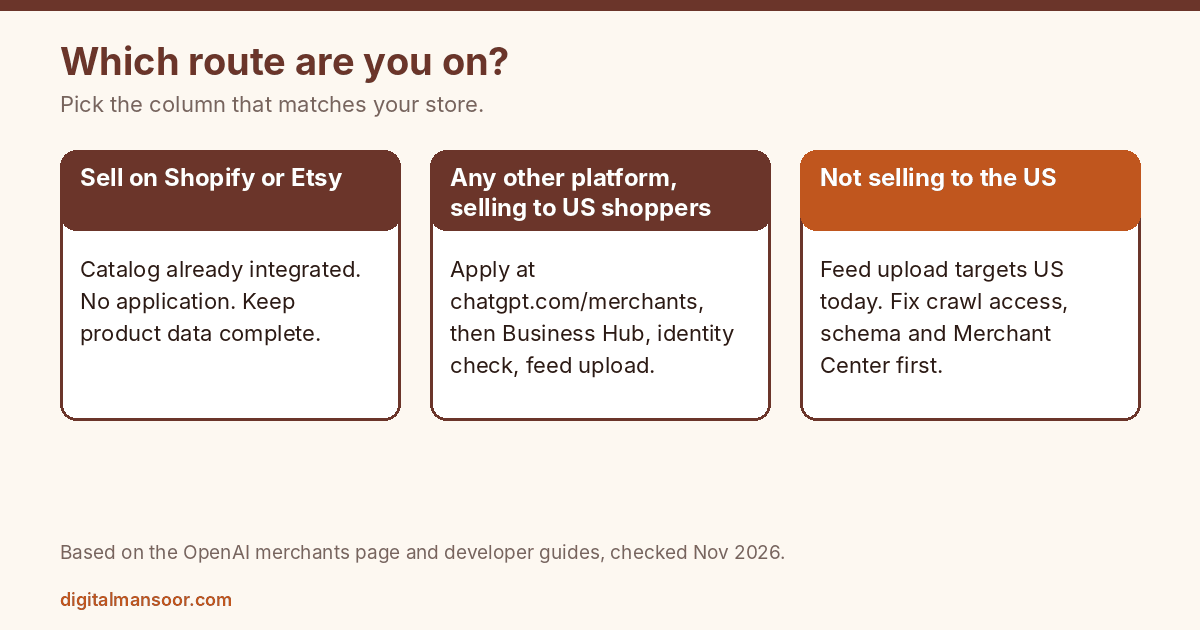
On Shopify, OpenAI’s help center says product data already flows into ChatGPT through Shopify Catalog and that merchants need no extra work. The merchants page says the same for Etsy.
On WooCommerce, Magento, BigCommerce or a custom store, you apply and deliver your own feed. The rest of this guide follows that route.
If you do not sell to US shoppers, you can still apply, but I would spend the first week on the groundwork in steps 2 and 3 and the visibility section below. Those help in Google and other AI search too.
Step 1: Check what the program offers today
Read three facts on the merchants page before you invest time.
The page describes a waitlist: if you have already applied, you are on it. It states that shopping is live for U.S. users and that a self-serve merchant platform is planned for later, with more regions over time. It also says there are no fees on purchases that start in ChatGPT.
It lists no eligibility rules beyond the application. Lengow, a feed platform that tracks this program, makes the same point: OpenAI has published no eligibility criteria and no market by market opening dates. So nobody outside OpenAI can promise you approval or a date. Treat any guide that does as guessing.
Step 2: Let OAI-SearchBot crawl your site
A feed is not the only way ChatGPT learns about products. OpenAI’s guide says ChatGPT can use feeds and other available retail and public web sources for product discovery. That makes crawl access worth fixing first.
OpenAI documents three bots. OAI-SearchBot handles search and controls whether your pages can appear in ChatGPT search answers. GPTBot is separate and covers training. ChatGPT-User fetches pages when a person asks ChatGPT to, and it does not decide search visibility.
To appear in search while opting out of training, OpenAI’s example allows OAI-SearchBot and disallows GPTBot:
User-agent: OAI-SearchBot
Allow: /

User-agent: GPTBot
Disallow: /
Test your own file with the Robots.txt Checker, or build one with the Robots.txt Generator, which has switches for AI crawlers. OpenAI says robots.txt changes for search can take about 24 hours to take effect. OpenAI also recommends allowing its published IP ranges for OAI-SearchBot, so check that your firewall or CDN does not block the bot. A clean robots.txt does not help if the server refuses the request.
Step 3: Build the feed to OpenAI’s schema
This is the longest step, and it decides whether your upload is accepted. The product feed schema asks for one row per purchasable item or variant.
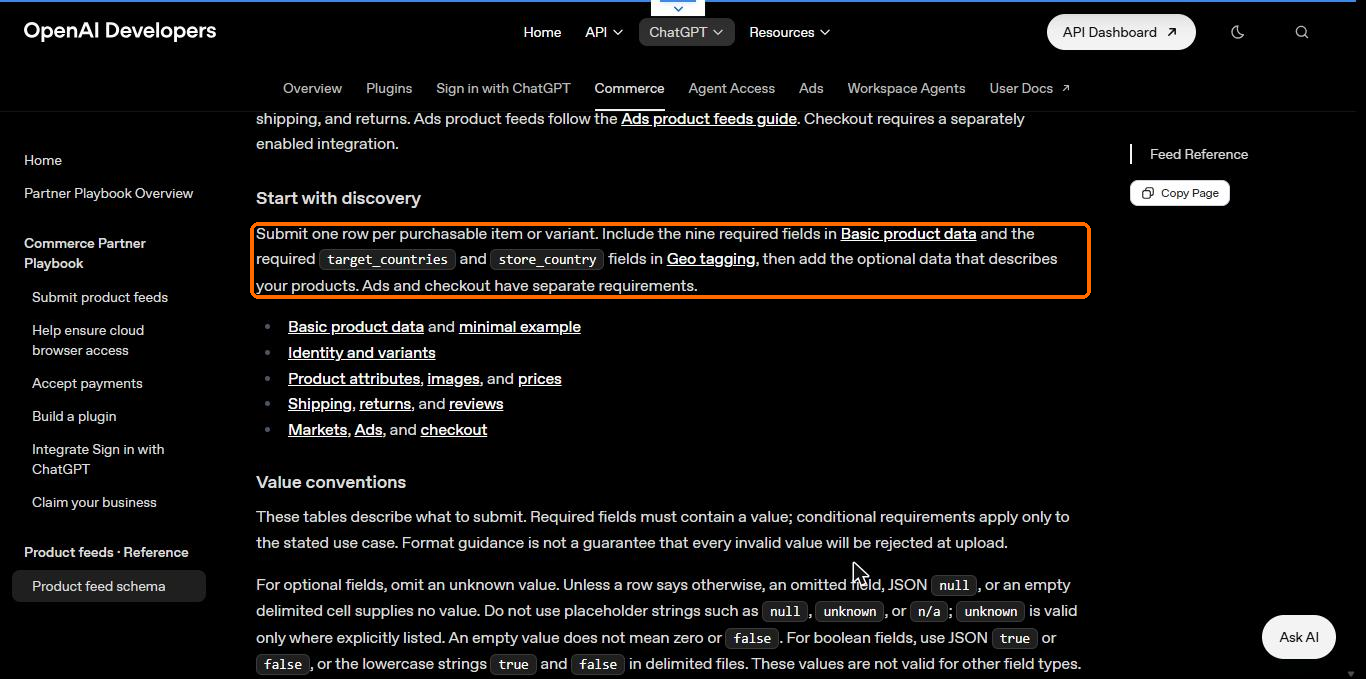
The spec lists nine required discovery fields, plus two geo fields. Some older guides say nine in total, so read the current page.
| Field | What to send | Easy mistake |
|---|---|---|
| item_id | A unique ID per item or variant | Reusing an ID for a different item, or regenerating IDs on every export |
| title | Product name, aim for 150 characters or fewer | Stuffing keywords |
| description | Plain text, aim for 5,000 characters or fewer | HTML or marketing copy |
| url | Absolute product page URL, variant selected when possible | Relative or login protected URLs |
| brand | The brand as shown on the page | Mismatch with the page |
| seller_name | The seller supplying the offer | Leaving it empty |
| image_url | A direct image link such as JPEG or PNG | A link to a page that holds the image |
| availability | in_stock, out_of_stock, pre_order, backorder or unknown | Omitting it, which rejects the row |
| price | Amount and currency, such as 79.99 USD | Thousands separators or a missing currency |
| target_countries | Uppercase country codes, standard uploads use US | Listing countries OpenAI has not confirmed for you |
| store_country | Standard uploads use US | Setting it to your home country |
A few rules from the spec catch people out. Placeholders such as null or n/a are not allowed, and an empty value does not mean zero or false. Identifiers stay strings so leading zeros survive. A sale price must be above zero and below the regular price, in the same currency, or it is ignored. The spec also warns that its format guidance is not a promise every bad value will be rejected at upload, so validate before you send.
If you already run a Google Merchant Center feed, you may be able to reuse it. The spec says OpenAI uses Google compatible formatting when it confirms your registered feed supports it, so ask during onboarding instead of renaming columns yourself.
For variants, send one row per variant and tie them together with group_id, listing_has_variations and variant_dict. Keep item_id stable across every update. OpenAI’s guide asks for this directly.
Step 4: Apply at chatgpt.com/merchants
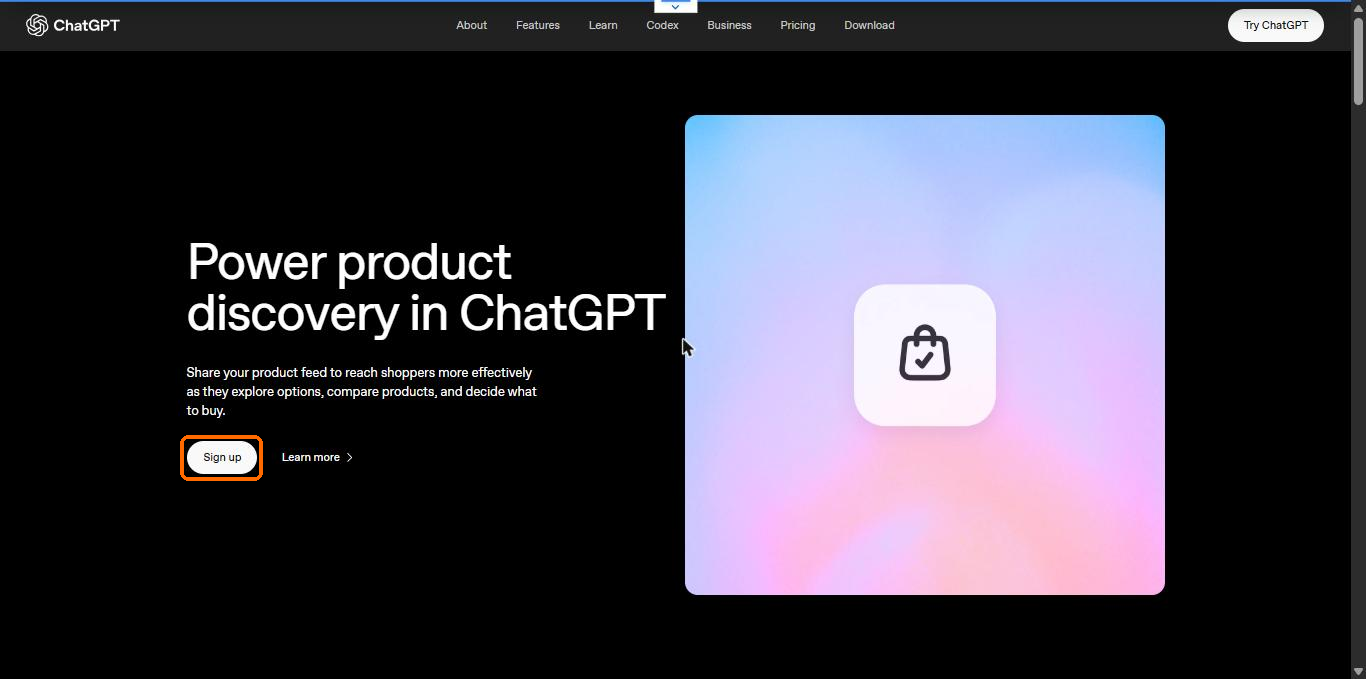
Open the merchants page and select Sign up. It jumps to the application form.
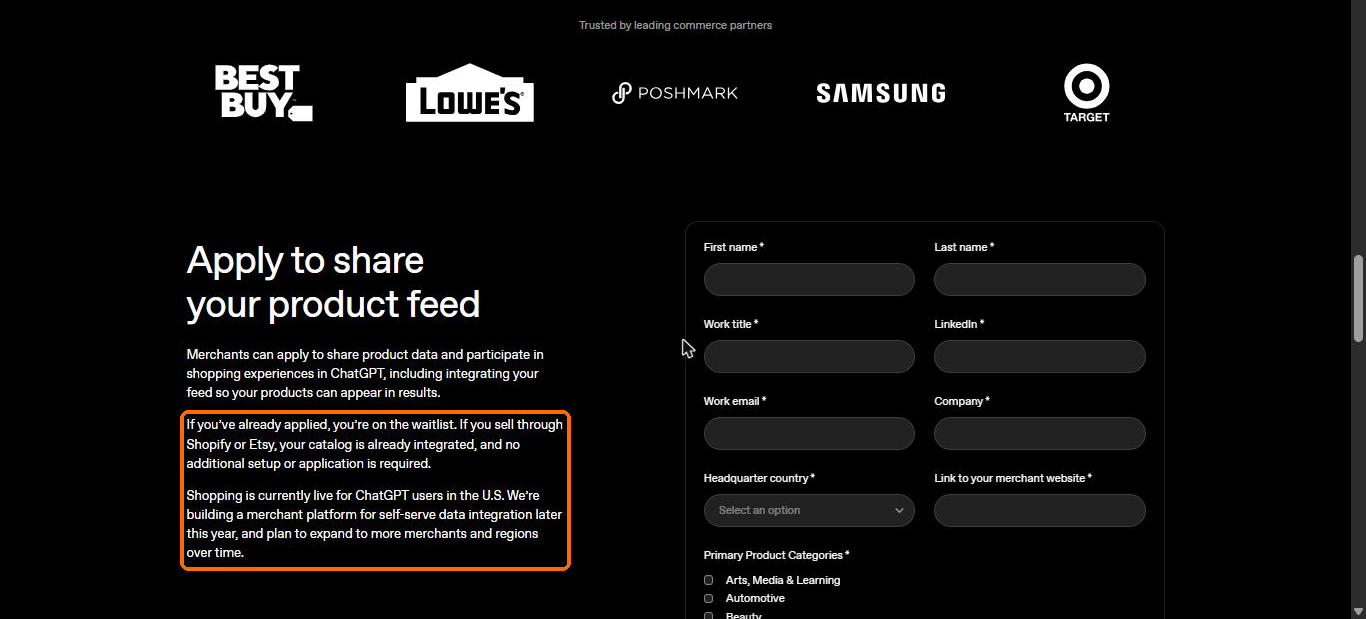
The form asks for first and last name, work title, LinkedIn, work email, company, headquarter country and the link to your merchant website. All are required. Use a work email on your company domain and a real LinkedIn profile.
Further down, you choose primary product categories and tick what you are interested in.
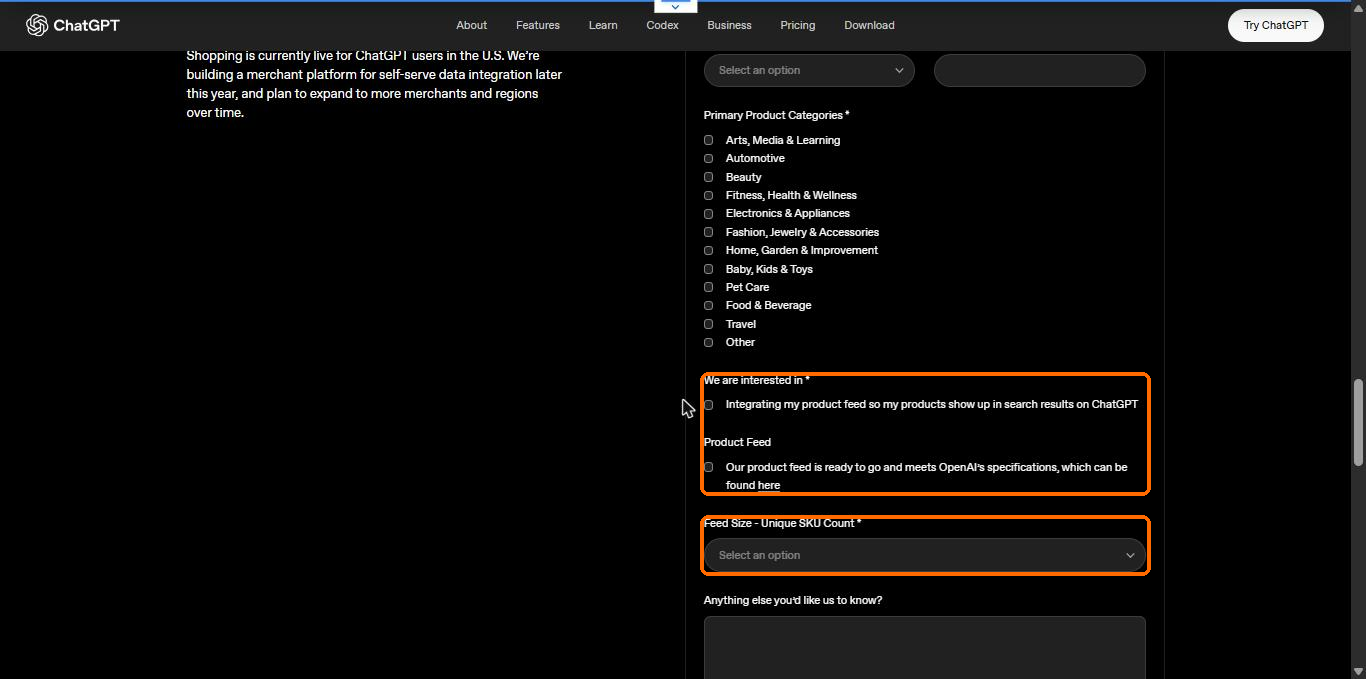
The category list has 12 options, from Arts, Media and Learning to Travel and Other. Pick the ones that match most of your catalog, not every one that fits a few products.
The interest option reads as integrating your product feed so products show up in search results on ChatGPT. A separate checkbox says your feed is ready and meets OpenAI’s specifications. Tick it only if that is true. If you have not built the feed yet, leave it unticked and finish step 3 while you wait.
The last required field is feed size in unique SKUs. The ranges run from 0 to 1M up to 100M and above. The spec uses one row per variant, so count variants if you are unsure. An optional box lets you add context, which is a good place for one sentence on your platform and your US shipping.
Submit once. You land on the waitlist, and I could not find a stated time to approval anywhere in OpenAI’s pages.
Step 5: Claim your business and verify your identity
After OpenAI accepts you, the onboarding runs through Business Hub. The submit product feeds guide lists the order.
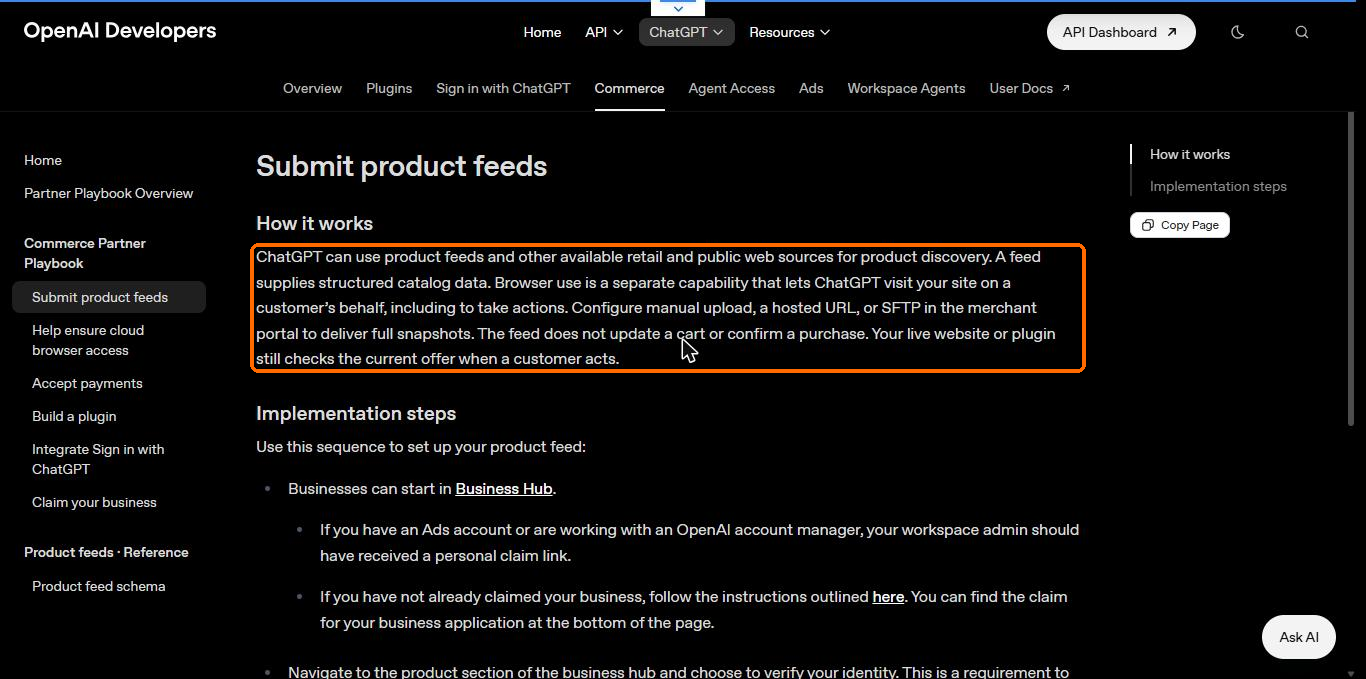
Start at Business Hub. If you have an Ads account or work with an OpenAI account manager, your workspace admin should have received a personal claim link. Otherwise follow the claim instructions linked from the guide, where the claim application sits at the bottom of the page.
Then open the product section of Business Hub and verify your identity. The guide says this is required before you can upload products. Let the person who is authorised to represent the business complete it.
I did not capture the Business Hub screens. They sit behind an approved account, and I do not have one for this site. The steps here come from OpenAI’s own guide, which I read in November 2026.
Step 6: Choose countries, currencies and a delivery method
Once verified, return to the product section and select the option to upload products. Choose the countries and currencies where you sell. Given what the spec says about standard uploads, expect the US to be the available market. The spec also says multi market support needs confirmation from OpenAI.
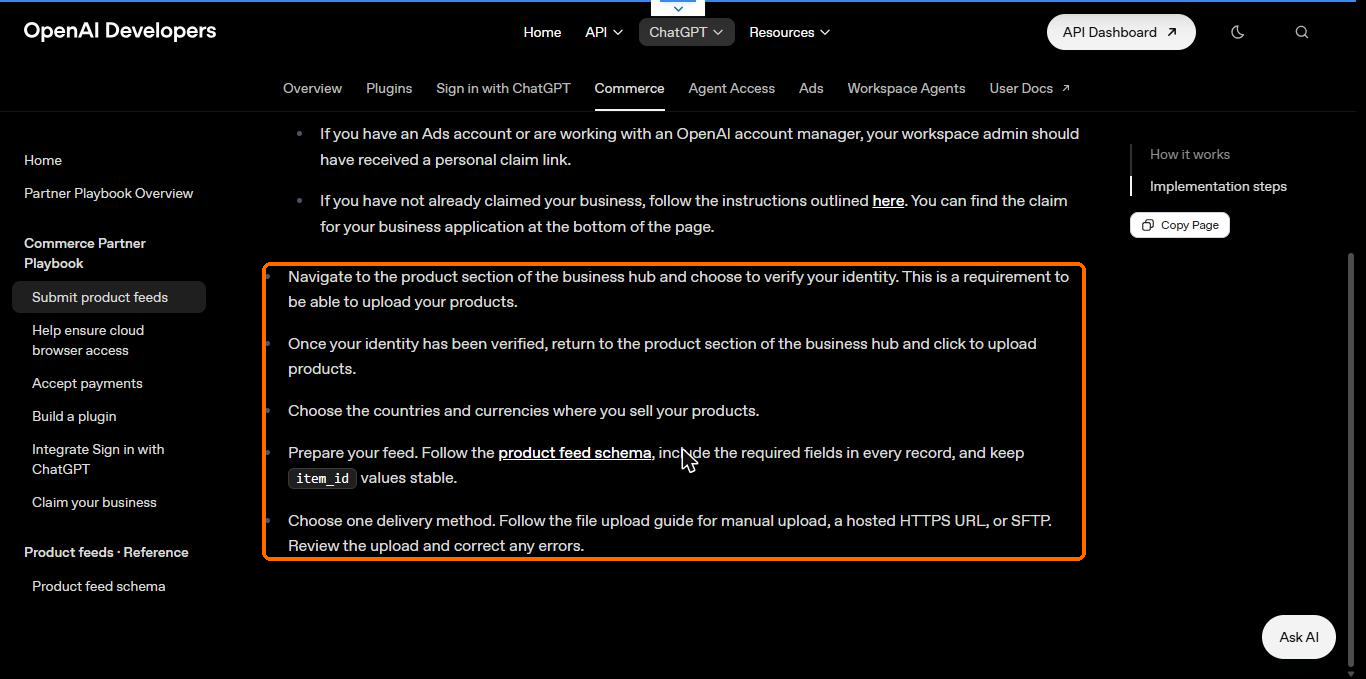
Then pick one delivery method. OpenAI names three: manual upload, a hosted HTTPS URL, or SFTP. The guide says you deliver full snapshots of your catalog.
| Method | Fits | Watch for |
|---|---|---|
| Manual upload | Small catalogs, first tests | You must repeat it by hand |
| Hosted HTTPS URL | Stores that can publish a feed file | The URL must be reachable and stable |
| SFTP | Large catalogs and automation | Needs a developer to set up |
Several competitor guides say OpenAI recommends a full file at least once a day and mention an API for price and stock updates. The guide I read does not state a cadence or an API option, so check your own onboarding screens before building around either. What the spec does say is to update price when a sale starts or ends and update availability when stock changes.
Step 7: Validate the upload and fix errors
The guide’s last step is to review the upload and correct any errors. Start with a sample of 100 or so products so one bad column does not sink the whole file. Look for these first:
- Rows with a missing or unrecognized availability value, which are rejected
- Prices with commas or without a currency code
- Relative image or product URLs
- IDs that lost leading zeros
- Sale prices that are not below the regular price
Fix the cause in your export, not in the output file by hand, or the same errors return tomorrow. Then run the full catalog.
Step 8: Test it like a shopper
A feed does not update a cart or confirm a purchase, according to OpenAI. Your live site still checks the current offer when a customer acts, so the page must match the feed on price and stock.
I found no official reporting dashboard for product visibility in the documents I read. So test by hand. Ask ChatGPT the questions your buyers ask, such as best option under a budget, and log whether your product appears, at what price and with what description. Repeat weekly and keep the log. ChatGPT may also write its own simplified titles and descriptions from provider data, per OpenAI’s help article, so what it shows may differ from your feed text.
How to improve your visibility once you are in
OpenAI’s spec says eligibility does not guarantee display, and it makes no ranking statements. Nobody can promise a position. What you can do is remove reasons for ChatGPT to skip you. OpenAI’s help article says ChatGPT selects product results itself, and ads play no part. It names price, reviews, ease of use and your stated context among the things it weighs.
That points to a short list of work, tied to what the spec rewards.
Fill the optional fields that describe the product
The spec marks these as affecting visibility or display: GTIN, MPN with brand, review count and star rating, shipping price, return terms, condition and product category. A GTIN must be 8, 12, 13 or 14 digits with a valid check digit. Never invent an MPN to fill a missing GTIN.
Keep review data honest
Review count and star rating must describe the same set of reviews. Leave the rating out if you have no reviews, because zero ratings may be omitted from display.
Write titles and descriptions for a shopper
State what the product is, its size, material, compatibility and who it fits. Skip slogans. A buyer comparing three options in a chat wants facts to compare.
Match the feed and the page
Price, availability and variant must agree. When they differ, the live check on your site wins and the shopper sees the mismatch.
Strengthen the pages ChatGPT can also read
Product pages with clean schema markup, real reviews and clear policies help both feeds and web discovery. My ecommerce SEO checklist covers crawl, facets and product pages, and my notes on generative engine optimization and answer engine optimization cover how AI answers pick sources.
Run Google Merchant Center in parallel
The free listings route reaches Google shoppers today wherever your market is supported. I list it in my free SEO tools list.
Why your products may not show up
Work through these in order. They are the likeliest causes.
- You are on the waitlist or not yet approved. Nothing you change fixes this.
- OAI-SearchBot is blocked in robots.txt or at the firewall.
- Rows were rejected, most often for availability, price format or relative URLs.
- Your target market is outside the US, and standard uploads target the US.
- The product is out of stock, or the feed and page disagree.
- The data is thin: no GTIN, no reviews, short descriptions, weak images.
- The query does not match your product. ChatGPT may skip products even when many exist, as its help article notes.
Instant Checkout and ads
Many older guides lead with Instant Checkout. OpenAI’s merchants page says it is moving away from that standalone checkout experience, and the feed spec says checkout needs a separately enabled integration. For most stores today, ChatGPT sends the shopper to your site to buy.
Ads are a separate program with their own feed. OpenAI states product results are not ads and are not influenced by its partnerships.
Where to start this week
If you sell to US shoppers on anything other than Shopify or Etsy, apply at chatgpt.com/merchants today, since the waitlist order may matter, then build the feed while you wait. If you do not sell to the US, fix crawl access and product data first and apply when OpenAI opens your market.
If you want a second pair of eyes on your store, my ecommerce SEO consultant page explains how I audit catalogs, and the GEO consultant page covers AI search visibility. For stores on Shopify or WooCommerce, those pages list platform specific work.
Apply at chatgpt.com/merchants
Quick answers
How do I submit products to ChatGPT?
Apply at chatgpt.com/merchants. If you are on Shopify or Etsy, OpenAI says your catalog is already integrated and no application is needed. Other stores join a waitlist, then verify in Business Hub and upload a feed that follows OpenAI’s schema.
Does ChatGPT product submission cost money?
OpenAI’s merchants page says there are no fees on purchases that start in ChatGPT. I found no listing fee in the documents I read, but check the terms when you onboard.
Can Indian sellers submit products to ChatGPT?
You can apply, but OpenAI says shopping is live for U.S. users and standard feed uploads target the US. Multi market support needs confirmation from OpenAI, so selling only inside India gives you little to gain today.
Does being in the feed guarantee my product shows?
No. OpenAI’s spec states that eligibility does not guarantee display. ChatGPT chooses which products to show based on the shopper’s question and context.
Leave a Reply